



Sensei With Woocommerce Paid Courses GPL
$4.49
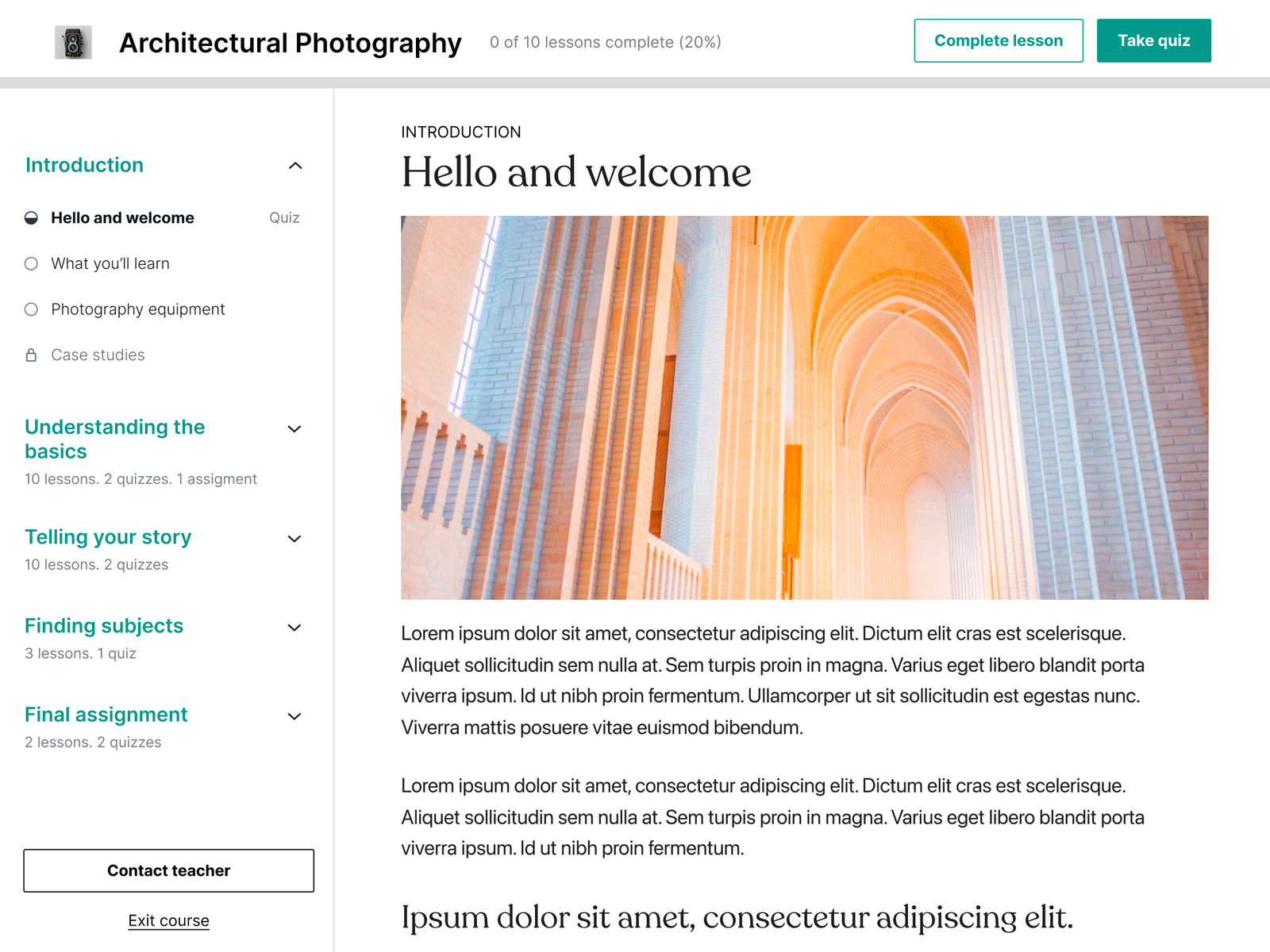
Sensei with WooCommerce Paid Courses is a WordPress plugin that lets you create, manage and sell online courses directly from your own site, using WooCommerce for payment processing.
Sensei with WooCommerce Paid Courses is a WordPress plugin that lets you create, manage and sell online courses directly from your own site, using WooCommerce for payment processing. Course content, lessons, quizzes and student enrolment live inside WordPress, and buyers pay through the WooCommerce checkout you already run. This build is the GPL version of the plugin, sold here for $4.49.
| Product | sensei-with-woocommerce-paid-courses |
|---|---|
| Version | 4.26.4.1.24.10 |
| Works with | WordPress 6.x+ / PHP 8.x+ |
| Tested up to | WordPress current |
| License | GPLv2 or later |
| Delivery | Instant ZIP download, 10 downloads, 365 days |
Selling courses through the WooCommerce checkout
The plugin connects your course catalogue to WooCommerce, so a course can be sold like any other product in your store. Payment processing runs through WooCommerce rather than a separate system, which keeps orders, customers and course access in one WordPress install.
Because the course content sits on your site, you manage lessons, quizzes and students from the WordPress admin instead of a third-party course platform. The vendor summary describes the result plainly: create, manage and sell online courses directly from your WordPress site.
Course, lesson and student data exposed through Sensei LMS abilities
The settings screens list abilities for interacting with Sensei LMS, and they show what the plugin can read and return. You can list Sensei courses, filter them by post status, search course titles and content, and page through results with a configurable number of courses per page, up to 100.
The same pattern applies to lessons, quiz questions and enrolment. Lessons can be listed per course and searched by title and content; questions can be fetched for a specific lesson's quiz; and students enrolled in a course can be listed, filtered by progress state or searched by display name, login or email. Teachers see only their own courses and lessons in these listings.
Quizzes, points and student progress inside WordPress
Quiz handling is part of the course structure: questions belong to a lesson's quiz, and points are awarded for a correct answer. A lesson without a quiz is reported as such, and a missing lesson or course ID returns a clear message rather than an empty result.
Student management has its own home screen, Sensei LMS Home, with a guide to student management and a students-per-page selector. Progress state is available as a filter when you list enrolled students, so you can look at one course's roster by where each student stands.
Working alongside Elementor, membership and SEO plugins
Sensei with WooCommerce Paid Courses is built to work with a variety of popular WordPress plugins, including membership and SEO plugins, so you can extend site functionality as needed. Elementor is supported too, which means course layouts can be designed with the Elementor page builder.
The interface includes appearance options such as Learn with style, a Complete Lesson label and a Source Serif Pro font choice, giving you control over how course pages read on the front end.
What this build includes
| Sell courses via WooCommerce | Create, manage and sell online courses from WordPress, with WooCommerce handling payment processing for course purchases. |
|---|---|
| List and filter courses | Return Sensei courses, filter by post status, search titles and content, and set results per page up to 100. |
| Lesson lookup by course | List Sensei lessons, restrict results to a specific course ID, and search lesson titles and content. |
| Quiz question retrieval | Fetch the questions on a Sensei lesson's quiz by lesson ID, with pagination up to 100 questions per page. |
| Enrolled student listing | List students enrolled in a course, filter by progress state, and search by display name, login or email. |
| Teacher-scoped results | Course and lesson listings show teachers only their own content, keeping each instructor's view limited to their material. |
| Elementor course layouts | Design custom course layouts with the Elementor page builder, which the plugin is stated to work well with. |
| Student management screen | A Sensei LMS Home screen with a guide to student management and a students-per-page selector for roster views. |
Installing it on a WordPress site
- Upload the plugin zip through Plugins > Add New > Upload Plugin in WordPress, or extract the plugins folder from the archive into wp-content/plugins.
- Activate Sensei with WooCommerce Paid Courses, then confirm WooCommerce is active so course purchases can be processed through its checkout.
- Open the Sensei LMS Home screen to reach the student management guide, and set your students-per-page preference before building your first course.
Latest changes
This package is version 4.26.4.1.24.10 of Sensei with WooCommerce Paid Courses.
Frequently asked questions
What does Sensei with WooCommerce Paid Courses actually do?
It lets you create, manage and sell online courses directly from your WordPress site, integrating with WooCommerce for payment processing. Course content, lessons, quizzes and student enrolment stay in WordPress, and buyers pay through WooCommerce.
Can I design course pages with Elementor?
Yes. The plugin works well with Elementor, so you can design custom course layouts using the Elementor page builder rather than being limited to the default templates.
Does it work with membership and SEO plugins?
The plugin is designed to work with a variety of popular WordPress plugins, including membership and SEO plugins, so you can add functionality to your site as needed.
How do I see which students are enrolled in a course?
Use the student listing ability with the course ID. You can optionally filter by progress state on the course, search by display name, login or email, and set how many students are returned per page, up to 100.
What happens if a lesson has no quiz?
The plugin reports that the lesson does not have a quiz instead of returning questions. Similarly, a lesson or course ID that does not exist returns a clear message such as no lesson exists with the given ID.
What am I buying at $4.49?
You get the GPL build of the plugin, version 4.26.4.1.24.10, in a 17.7 MB zip containing the plugins folder. These are the same files the developer ships, but there is no vendor update channel and no vendor support desk with this purchase.
What the GPL build means for you
This is the same archive the developer publishes, redistributed under the GNU General Public License: you get the working files for $4.49 with no vendor update channel and no vendor support desk. If you need automatic updates or a support contract, buy the official license from the developer.
| This GPL build | Official license | |
|---|---|---|
| Price | $4.49 one time | Vendor subscription |
| Automatic updates | No | Yes |
| Developer support | No | Yes |
| Number of sites | Unlimited | Depends on plan |
Browse the rest of the WordPress plugins category or the full shop. The licence text is at GNU GPL v2, and general documentation is at WordPress.org.
You must be logged in to post a review.
You may also like…

Related products








Reviews
Clear filtersThere are no reviews yet.