

PowerPack for Beaver Builder GPL
$4.49
PowerPack for Beaver Builder is an add-on plugin that extends the core Beaver Builder page builder with a library of extra modules and ready-made templates.
PowerPack for Beaver Builder is an add-on plugin that extends the core Beaver Builder page builder with a library of extra modules and ready-made templates. Instead of building every layout from scratch, you get 30 modules and 120 templates for content presentation, headers, footers, login screens and store pages. This is a GPL build: the same plugin files the developer ships, distributed here at $4.49 with no vendor update channel and no vendor support desk.
| Product | PowerPack for Beaver Builder |
|---|---|
| Version | 2.44.1 |
| Works with | WordPress 4.6+ / PHP 5.6+ |
| Tested up to | WordPress 7.1 |
| License | GPLv2 or later |
| Delivery | Instant ZIP download, 10 downloads, 365 days |
Which modules and templates ship inside PowerPack for Beaver Builder?
The plugin adds 30 modules to Beaver Builder, each aimed at a specific presentation task. Template assets are bundled in the zip alongside the modules folder, so the 120 templates are available from the builder without a separate download. An Author Box module, for example, displays author details and asks you to add social media URLs before it renders.
Templates cover the usual page-building ground plus header and footer layouts, builder templates, login and register screens, and maintenance mode pages. The settings screens list a Featured Image control and a Customize Layout panel, so template layouts can be adjusted after insertion rather than rebuilt.
How does PowerPack handle styling controls in the Beaver Builder interface?
Styling options sit in the module settings panels and follow a consistent naming pattern. Text and background colours have separate normal and active states, so a title background colour and a title background colour for the active state are set independently, and the same applies to title text colour and title description colour.
Layout controls extend to content background colour, content text colour, content border and content padding, with a typography group for titles and another for content. Hover states are covered too, with background hover colour, text hover colour and border hover colour fields. Responsive options let you set values per device, and the interface exposes medium devices as a breakpoint.
Does PowerPack for Beaver Builder work with WooCommerce stores?
WooCommerce compatibility is part of the plugin, so product pages can be designed with the same modules and templates used elsewhere on the site. Store owners can build custom product layouts and adjust the design of an online shop inside Beaver Builder rather than being limited to the default WooCommerce templates.
The plugin is updated to stay compatible with current WordPress versions, which keeps the module set working as WordPress moves forward. Requirements are modest: WordPress 4.6 or newer and PHP 5.6 or newer, with testing declared up to WordPress 7.1.
What settings screens and utility features come with the plugin?
A dedicated PowerPack Modules settings page lets you manage the module set, and the interface confirms changes with a settings updated message. Maintenance mode can be switched on from the plugin, giving you a holding page while a site is under construction or being changed.
Some modules read data from files or remote content. The CSV import path asks for a CSV file and rejects invalid file types, while the Author Box module requires social media URLs before it displays. Error messages such as no posts found, no templates found and no pages found appear when a query returns nothing, which makes empty states easy to diagnose.
What this build includes
| 30 extra modules | Adds 30 modules to Beaver Builder so layouts can include content blocks beyond the core builder element set. |
|---|---|
| 120 bundled templates | Ships 120 templates in the template assets folder, covering pages, headers, footers, login and register screens and maintenance pages. |
| WooCommerce product page design | Build custom product pages and adjust online store design with the same modules used across the rest of the site. |
| Author Box with social links | Display an author box module that asks for social media URLs before showing author details to readers. |
| Normal and active colour states | Set separate colours for normal and active states on titles, descriptions and backgrounds, including hover colours for text, background and border. |
| Per-device responsive options | Adjust layout values for different screen sizes, with medium devices exposed as a breakpoint in the responsive options panel. |
| Maintenance mode toggle | Switch maintenance mode on from the plugin to hold visitors on a maintenance page while the site is being worked on. |
| CSV file import | Provide a CSV file where a module accepts tabular data, with validation that rejects invalid file types. |
Installing it on a WordPress site
- Upload the PowerPack for Beaver Builder zip through the WordPress plugins screen, or extract it and place the folder in wp-content/plugins.
- Activate the plugin, confirm your site runs WordPress 4.6 or newer and PHP 5.6 or newer, then open the PowerPack Modules settings page to review the module list.
- Open Beaver Builder on any page and pick a module or template from the PowerPack library, then adjust colours, typography and responsive options in the module settings.
Latest changes
This listing covers PowerPack for Beaver Builder version 2.44.1, supplied as a 7.2 MB GPL build.
Frequently asked questions
What does PowerPack for Beaver Builder actually add to my site?
It enhances the core Beaver Builder plugin with 30 modules and 120 templates. The modules cover content presentation and layout tasks, while the templates give you starting points for pages, headers, footers, login and register screens and maintenance pages that you can then style in the builder.
Is PowerPack for Beaver Builder compatible with the latest WordPress version?
The plugin is regularly updated to stay compatible with current WordPress releases. It requires WordPress 4.6 or newer and PHP 5.6 or newer, and it is tested up to WordPress 7.1. Check your host's PHP version before installing if the site runs on older infrastructure.
Can I use PowerPack to design WooCommerce product pages?
Yes. PowerPack for Beaver Builder is compatible with WooCommerce, so you can create custom product pages and change how an online store looks using the plugin's modules and templates inside Beaver Builder, rather than relying only on the default WooCommerce templates.
What do I receive for $4.49, and is it a GPL build?
You receive the GPL build of PowerPack for Beaver Builder version 2.44.1 as a 7.2 MB zip containing the modules, template-assets and classes folders. The files are the same ones the developer ships. There is no vendor update channel and no vendor support desk with this purchase.
Why does the Author Box module ask for social media URLs?
The Author Box module displays social profiles as part of the author presentation. The settings screen prompts you to add the social media URLs to display in the Author Box module, so the module needs those links before it can show them to readers.
What the GPL build means for you
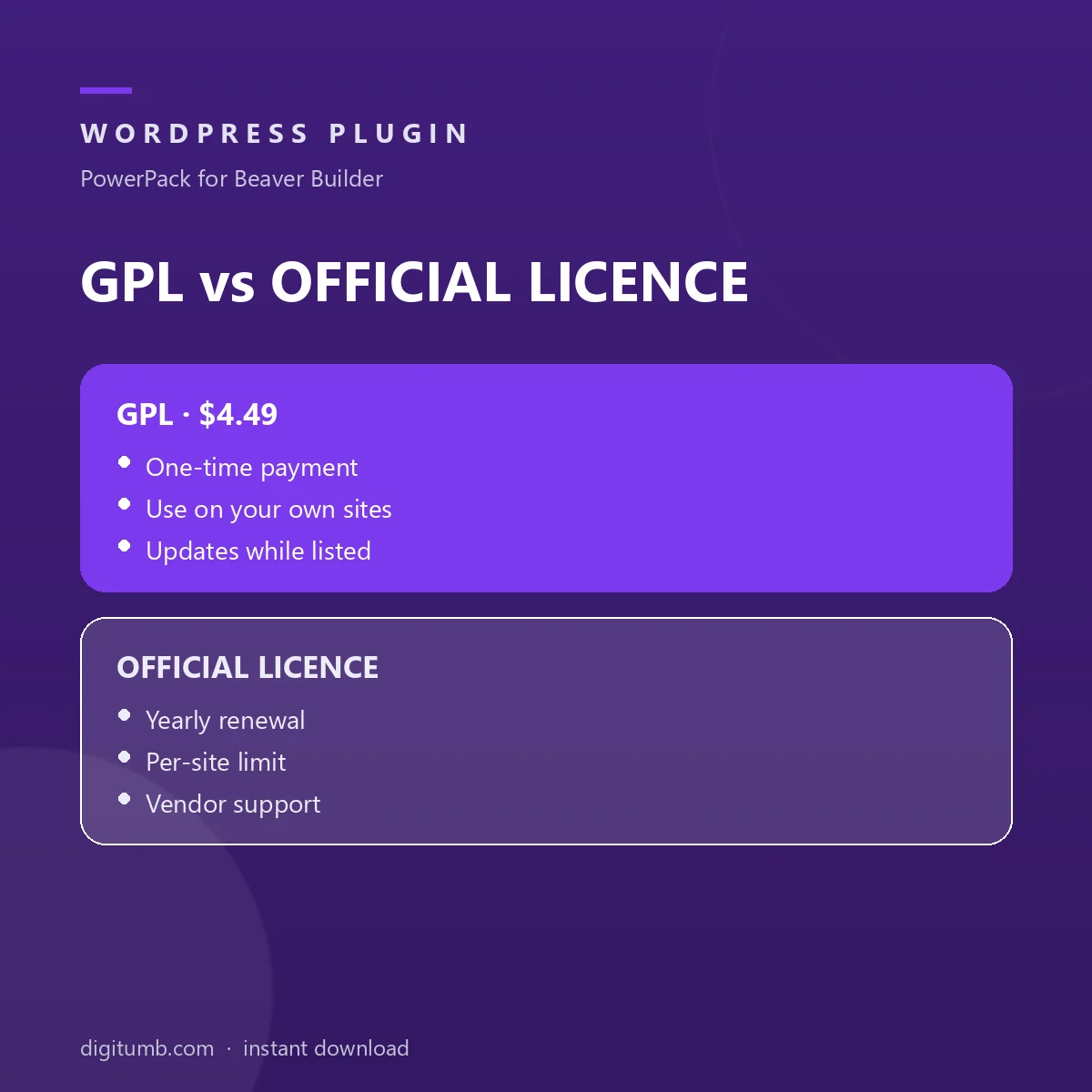
This is the same archive the developer publishes, redistributed under the GNU General Public License: you get the working files for $4.49 with no vendor update channel and no vendor support desk. If you need automatic updates or a support contract, buy the official license from the developer.
| This GPL build | Official license | |
|---|---|---|
| Price | $4.49 one time | Vendor subscription |
| Automatic updates | No | Yes |
| Developer support | No | Yes |
| Number of sites | Unlimited | Depends on plan |
Browse the rest of the WordPress plugins category or the full shop. The licence text is at GNU GPL v2, and general documentation is at WordPress.org.
You must be logged in to post a review.
You may also like…

Related products










Reviews
Clear filtersThere are no reviews yet.