


LearnPress – Co-instructor Instructors GPL
$4.49
LearnPress Co-instructor is an add-on for the LearnPress learning management system that lets you assign a single course to more than one instructor.
LearnPress Co-instructor is an add-on for the LearnPress learning management system that lets you assign a single course to more than one instructor. Instead of one author per course, you can build a course together with colleagues and give each of them access to the course they are assigned to. The plugin ships as a GPL build at $4.49, with the same files the developer distributes.
| Product | LearnPress – Co-instructor |
|---|---|
| Version | 4.1.2 |
| Works with | WordPress 6.0+ / PHP 8.x+ |
| Tested up to | WordPress 7.1 |
| License | GPLv2 or later |
| Delivery | Instant ZIP download, 10 downloads, 365 days |
How co-instructors share a LearnPress course
The plugin adds a Co-Instructors area to a course, where colleagues are attached to the course they will work on. Interface text describes the purpose plainly: colleagues will work with you. Each co-instructor is stored with a slug that must be unique, and the screen shows an example link so you can see the address the co-instructor profile uses.
Once assigned, a co-instructor gets access to the course they are assigned to, so course work is not limited to a single instructor account. The instructor course list reflects the courses attached to each person, and the single instructor page counts courses for that instructor.
Co-instructor emails for enrolment and completion
Two notification emails are built around the co-instructor role. One is sent to the co-instructor when a user has enrolled in the course; its subject line uses the pattern of the user display name followed by has enrolled course. The other is sent to the co-instructor of a course when a user finishes that course, using the same name pattern with has finished course.
The email hooks are kept compatible with LearnPress 4.2.9.2, so the messages continue to fire on that release line. This gives co-instructors a record of student movement without asking the main instructor to forward anything.
Course Builder and theme display support
Version 4.1.2 fixed compatibility with Course Builder, the LearnPress course editing interface. Earlier releases adjusted where the co-instructor block is displayed on single course pages for the Modern and Gutenberg templates, and the plugin was made to display on offline courses as well.
For the selection fields, the plugin uses TomSelect instead of select2, and the code was moved to CourseModel instead of the older learn_press_get_course helper. The build loads its own JavaScript and CSS files, and the release notes mark several older hooks as deprecated, including before_admin_bar_course_item and restrict_co_instructor_items.
What the GPL build at $4.49 includes
You receive the plugin as a GPL build: the same files the developer ships, at $4.49. There is no vendor update channel attached, so new releases do not arrive automatically, and there is no vendor support desk for this copy. The download is a 0.0 MB zip containing the inc and templates folders.
The plugin requires WordPress 6.0 and has been tested up to WordPress 7.1. It runs inside LearnPress, so LearnPress itself is the platform the add-on extends.
What this build includes
| Assign multiple instructors to one course | Attach several co-instructors to a single LearnPress course so colleagues can work on the same course instead of one instructor owning it. |
|---|---|
| Access for assigned co-instructors | A co-instructor is given access to the course they are assigned to, so their work is tied to that course. |
| Unique co-instructor slug with example link | Each co-instructor entry carries a slug that must be unique, and the settings screen shows an example link for the profile address. |
| Enrolment email to co-instructors | Sends an email to the co-instructor when a user enrols in the course, with a subject built from the user display name. |
| Course completion email to co-instructors | Sends an email to the co-instructor of a course when a user finishes it, using the same display-name subject pattern. |
| Course Builder compatibility | Version 4.1.2 fixed compatibility with the LearnPress Course Builder, so co-instructor settings work alongside the course editing screen. |
| Display on Modern and Gutenberg course templates | The position of the co-instructor display on single course pages was adjusted for the Modern and Gutenberg templates. |
| Instructor course counts on the profile page | The single instructor page counts the courses belonging to that instructor, including the courses they are attached to. |
Installing it on a WordPress site
- Upload the plugin zip through the WordPress Plugins screen and activate LearnPress Co-instructor.
- Open a course in LearnPress and use the Co-Instructors area to attach the colleagues who will work on it, giving each a unique slug.
- Check the co-instructor email settings so enrolment and completion notifications reach the assigned colleagues.
Latest changes
Version 4.1.2, released 2026-08-23, fixed compatibility with Course Builder.
Frequently asked questions
Does this plugin let more than one instructor teach the same LearnPress course?
Yes. LearnPress Co-instructor assigns a course to multiple instructors, so a course can be built with colleagues rather than a single author. Assigned co-instructors receive access to the course they are attached to, and the course appears in their instructor course list.
Which emails does the plugin send to co-instructors?
Two. One email goes to the co-instructor when a user has enrolled in the course, and another goes to the co-instructor of the course when a user has finished it. Both use a subject line based on the user display name, and the hooks are compatible with LearnPress 4.2.9.2.
Will the co-instructor fields work inside the LearnPress Course Builder?
Version 4.1.2 fixed compatibility with Course Builder, so the co-instructor settings can be used alongside the course editing interface. The plugin also loads its own JavaScript and CSS build files.
What WordPress version do I need?
The plugin requires WordPress 6.0 and has been tested up to WordPress 7.1. It is an add-on for LearnPress, so LearnPress must be installed and active for the co-instructor features to apply to courses.
Is this a GPL build with vendor updates and support?
This is a GPL build priced at $4.49. You get the same files the developer ships. There is no vendor update channel and no vendor support desk with this copy, so plan updates and assistance accordingly.
What the GPL build means for you
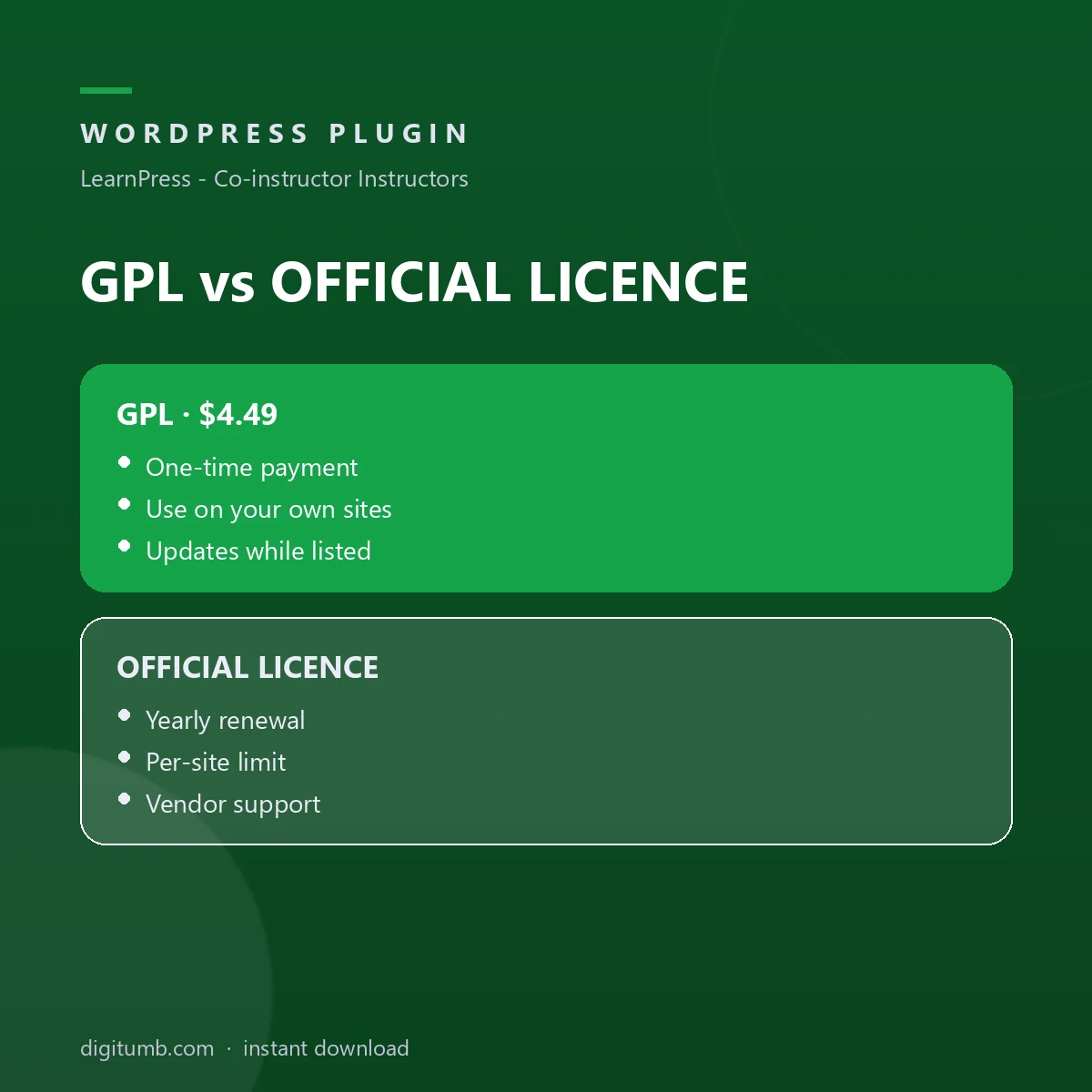
This is the same archive the developer publishes, redistributed under the GNU General Public License: you get the working files for $4.49 with no vendor update channel and no vendor support desk. If you need automatic updates or a support contract, buy the official license from the developer.
| This GPL build | Official license | |
|---|---|---|
| Price | $4.49 one time | Vendor subscription |
| Automatic updates | No | Yes |
| Developer support | No | Yes |
| Number of sites | Unlimited | Depends on plan |
Browse the rest of the WordPress plugins category or the full shop. The licence text is at GNU GPL v2, and general documentation is at WordPress.org.
You must be logged in to post a review.
You may also like…

Related products








Reviews
Clear filtersThere are no reviews yet.