


LearnDash Visual Customizer – WordPress Plugin
$4.49
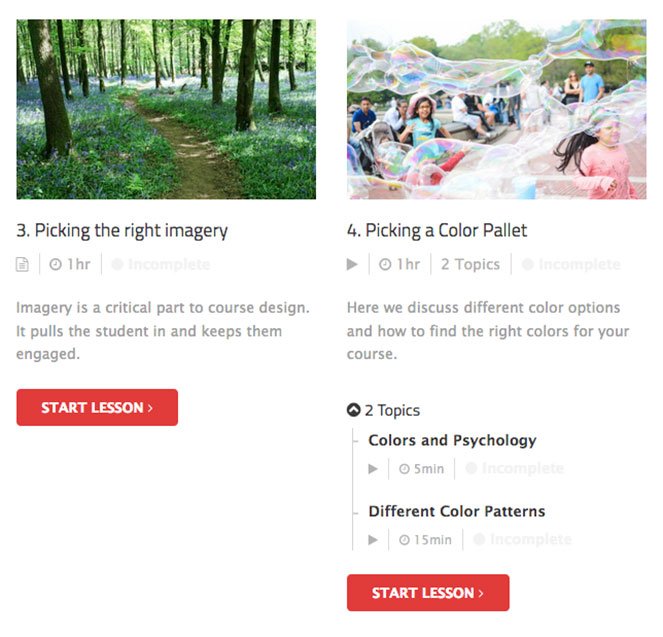
LearnDash Visual Customizer is a plugin that changes how LearnDash looks on your site. You select from five custom skins, each with its own look, feel and icons, and you adjust colors with a set of.
LearnDash Visual Customizer is a plugin that changes how LearnDash looks on your site. You select from five custom skins, each with its own look, feel and icons, and you adjust colors with a set of custom color pickers. If you want to keep the default LearnDash appearance but change its colors, the plugin supports that too. It adds an Appearance tab under LearnDash settings where the styling work happens.
| Product | LearnDash Visual Customizer |
|---|---|
| Version | 2.4 |
| Works with | WordPress 5.0+ / PHP 8.x+ |
| Tested up to | WordPress 5.6 |
| License | GPLv2 or later |
| Delivery | Instant ZIP download, 10 downloads, 365 days |
Choosing a base skin for your LearnDash courses
The plugin ships with five custom skins. Each skin carries its own look, feel and icon set, so switching skins changes more than a color scheme. You select your base theme from the Appearance tab under LearnDash settings.
If none of the skins suits you, the default LearnDash appearance stays available. In that case you use the color pickers to restyle the existing design rather than replace it.
Color pickers for course grids, lessons and interface elements
The settings screens group color controls by area. Course content listings expose controls for lesson and topic item border radius, border size and padding, plus margin below content items, content item text and background, expanded content background, content item border, content heading text and background, and section heading text and background.
Interface elements have their own controls: status border radius, pagination border radius and a switch to hide breadcrumbs. The course grid add-on has a dedicated set covering card border radius and size, heading, body and button text sizes, card background, card border color, ribbon backgrounds and text for free and enrolled states, and button background.
Hiding elements you do not want on the course page
Not every course page needs every control visible. The plugin provides switches to hide topic and quiz counts, hide the lesson expand button and hide the expand all button, so the course content listing shows only what you decide to show.
These toggles sit alongside the color and sizing controls, which means layout and styling decisions are made in the same place instead of being split across template edits.
How the GPL build from digitumb.com works
You receive the same plugin files the developer ships, under GPL, for $4.49. The download is a 5.0 MB zip. There is no vendor update channel and no vendor support desk attached to this purchase, so updates and help come from your own site maintenance rather than the plugin author.
The plugin requires WordPress 5.0 and is tested up to WordPress 5.6. The zip contains the legacy and inc folders alongside the main plugin files.
What this build includes
| Five custom skins | Select from five skins, each with its own look, feel and icons, as your base appearance for LearnDash. |
|---|---|
| Custom color pickers | Adjust LearnDash colors through a set of color pickers when you want to keep the default appearance with new colors. |
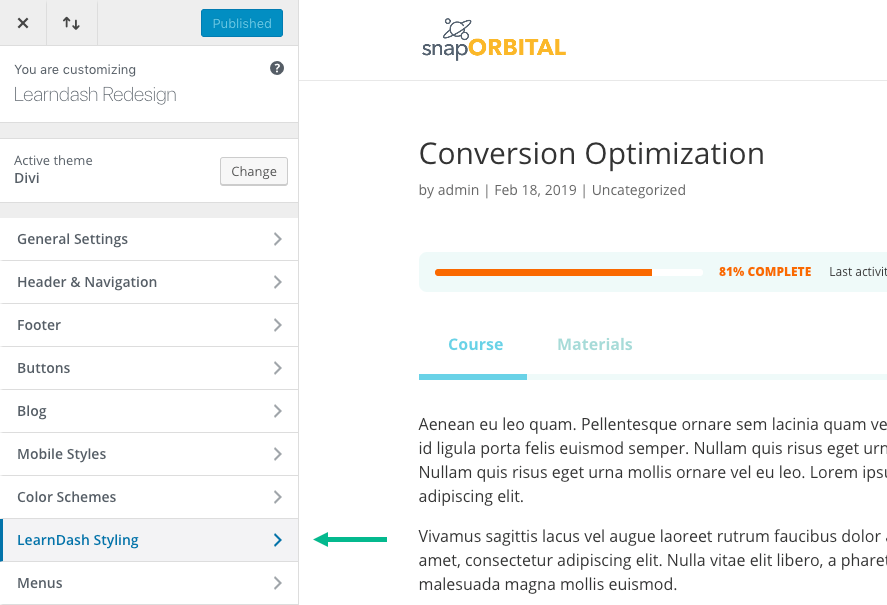
| Appearance settings tab | Manage base theme selection, color customization and your license from a new Appearance tab under LearnDash settings. |
| Course content listing controls | Set lesson and topic item border radius, border size and padding, plus content item and section heading text and background colors. |
| Course grid styling | Customize the LearnDash Course Grid Add-on with card border radius and size, heading, body and button text sizes, and card colors. |
| Free and enrolled ribbons | Set separate ribbon text and background colors for the Free and Enrolled states shown on course grid cards. |
| Interface element sizing | Control status and pagination border radius and hide breadcrumbs from the interface elements settings. |
| Visibility toggles | Hide topic and quiz counts, the lesson expand button or the expand all button on course content listings. |
Installing it on a WordPress site
- Upload the 'ld-visual-customizer' folder to your '/wp-content/plugins/' directory.
- Activate the plugin through the Plugins menu in WordPress.
- Open LearnDash settings and use the new Appearance tab to pick a base theme, adjust colors and manage your license.
Frequently asked questions
Do I have to change skins to use LearnDash Visual Customizer?
No. The plugin lets you keep the default LearnDash appearance and change its colors with the custom color pickers. The five skins are an option for when you want a different look, feel and icon set rather than a recolor of the existing design.
Where do the styling controls live in the WordPress admin?
Under LearnDash settings you get a new tab called Appearance. From that tab you switch between selecting your base theme, customizing colors and managing your license. No separate settings screen outside LearnDash is needed for these tasks.
Can I style the LearnDash Course Grid Add-on with this plugin?
Yes. The course grid add-on section has its own controls: card border radius and border size, heading text size, body text size, button text size, card background, card border color, ribbon text and background for Free and Enrolled, and button background.
Which WordPress version does this build require?
The plugin requires WordPress 5.0 and is tested up to WordPress 5.6. Check that your site meets the minimum before installing, and confirm your LearnDash setup matches the version you run.
What do I get for $4.49 at digitumb.com?
A 5.0 MB zip containing the same plugin files the developer ships, distributed as a GPL build. There is no vendor update channel and no vendor support desk with this purchase, so plan for updates and troubleshooting through your own maintenance.
What the GPL build means for you
This is the same archive the developer publishes, redistributed under the GNU General Public License: you get the working files for $4.49 with no vendor update channel and no vendor support desk. If you need automatic updates or a support contract, buy the official license from the developer.
| This GPL build | Official license | |
|---|---|---|
| Price | $4.49 one time | Vendor subscription |
| Automatic updates | No | Yes |
| Developer support | No | Yes |
| Number of sites | Unlimited | Depends on plan |
Browse the rest of the WordPress plugins category or the full shop. The licence text is at GNU GPL v2, and general documentation is at WordPress.org.
You must be logged in to post a review.
You may also like…










Reviews
Clear filtersThere are no reviews yet.