



AutomatorWP – Zoom GPL
$4.49
AutomatorWP – Zoom is an addon for AutomatorWP that connects a WordPress site to Zoom, the cloud platform for video and audio conferencing, chat, and webinars.
AutomatorWP – Zoom is an addon for AutomatorWP that connects a WordPress site to Zoom, the cloud platform for video and audio conferencing, chat, and webinars. It gives your automations a set of Zoom actions: adding and removing users and registrants on meetings and webinars, plus setting webinar statuses. You configure each action by picking a meeting or webinar and filling in registrant details such as email, first name, last name and status.
| Product | AutomatorWP – Zoom |
|---|---|
| Version | 1.0.7 |
| Works with | WordPress 4.4+ / PHP 8.x+ |
| Tested up to | WordPress 7.1 |
| License | GPLv2 or later |
| Delivery | Instant ZIP download, 10 downloads, 365 days |
Which Zoom actions does this addon add to AutomatorWP?
Ten Zoom actions are available. For meetings you can add a user, remove a user, add a registrant and remove a registrant. For webinars the same four operations exist, and version 1.0.7 added two more: set user status in webinar and set registrant status in webinar.
Each action appears in the AutomatorWP action picker with a Zoom label, for example Add registrant to meeting or Add user to webinar, so you can drop it into an automation alongside your other WordPress actions.
How do meeting and webinar registrant fields work?
The registrant actions ask for the registrant email, first name, last name and status, and you select the target meeting or webinar from a list. After a registrant is added, the action returns details you can use later in the automation: a registrant ID, the meeting or webinar identifier, and the unique join URL issued to that registrant.
Registration status can be approved, denied or pending. Since version 1.0.5, the integration forces auto approval when the registrant status is set to approve.
What happens when a Zoom action cannot run?
The plugin reports specific errors instead of failing silently. You can see messages such as missing meeting, missing webinar, Zoom authentication failed, or a notice that the registrant was not registered on that meeting. Successful runs report that the registrant was successfully registered.
Authorization security checks were improved in version 1.0.6, and the settings screens include informational help that warns you about how to configure the integration.
Does AutomatorWP – Zoom work with WooCommerce, LearnDash and Elementor?
The vendor states that the addon works with popular plugins such as WooCommerce, LearnDash and BuddyPress, extending their functionality with Zoom integration. It is also listed as compatible with Elementor, so you can build landing pages for your Zoom meetings and webinars in the Elementor page builder.
Automations themselves are built in AutomatorWP; this addon supplies the Zoom side of the recipe.
What this build includes
| Add user to meeting | Attach a WordPress user to a selected Zoom meeting as part of an automation. |
|---|---|
| Remove user from meeting | Detach a user from a Zoom meeting when your automation reaches that step. |
| Add registrant to meeting | Register someone with email, first name, last name and status, and return a registrant ID and join URL. |
| Remove registrant from meeting | Remove a meeting registrant through an AutomatorWP action. |
| Add user to webinar | Add a user to a webinar you select from the plugin's webinar list. |
| Remove user from webinar | Remove a user from a chosen webinar as an automation step. |
| Add registrant to webinar | Register an attendee for a webinar and return the webinar identifier and the unique join URL. |
| Remove registrant from webinar | Remove a webinar registrant when the automation runs. |
| Set user status in webinar | Change a user's status inside a webinar; added in version 1.0.7. |
| Set registrant status in webinar | Change a registrant's status inside a webinar; added in version 1.0.7. |
| Custom registrant status | Register registrants as approved, denied or pending, with auto approval forced when the status is approve. |
Installing it on a WordPress site
- In the WordPress backend go to Plugins -> Add new and click Upload Plugin next to the Add plugins title.
- Upload the downloaded zip file and activate the plugin.
- Alternatively, upload the zip into your wp-content/plugins/ folder, unzip it, then open the Plugins menu in your WordPress admin area and activate the plugin.
Latest changes
Version 1.0.7 adds two actions: set user status in webinar and set registrant status in webinar.
Frequently asked questions
What does AutomatorWP – Zoom do?
It connects your WordPress site with Zoom so AutomatorWP automations can handle meeting and webinar registration and user management. Actions cover adding and removing users and registrants on meetings and webinars, plus setting webinar statuses, which supports user engagement workflows built in AutomatorWP.
Is AutomatorWP – Zoom compatible with other plugins?
The vendor says the addon works with popular plugins including WooCommerce, LearnDash and BuddyPress, adding Zoom integration to their functionality. It is also listed as compatible with Elementor for building landing pages for Zoom meetings and webinars.
Can I use AutomatorWP – Zoom with Elementor?
Yes. The product is compatible with Elementor, so you can create custom landing pages for your Zoom meetings and webinars inside the Elementor page builder while AutomatorWP handles the Zoom actions.
What do I need to run this addon?
It requires WordPress 4.4 or later and has been tested up to WordPress 7.1. It is an addon for AutomatorWP, so AutomatorWP must be present for its Zoom actions to be used in automations.
What are the terms of this GPL build?
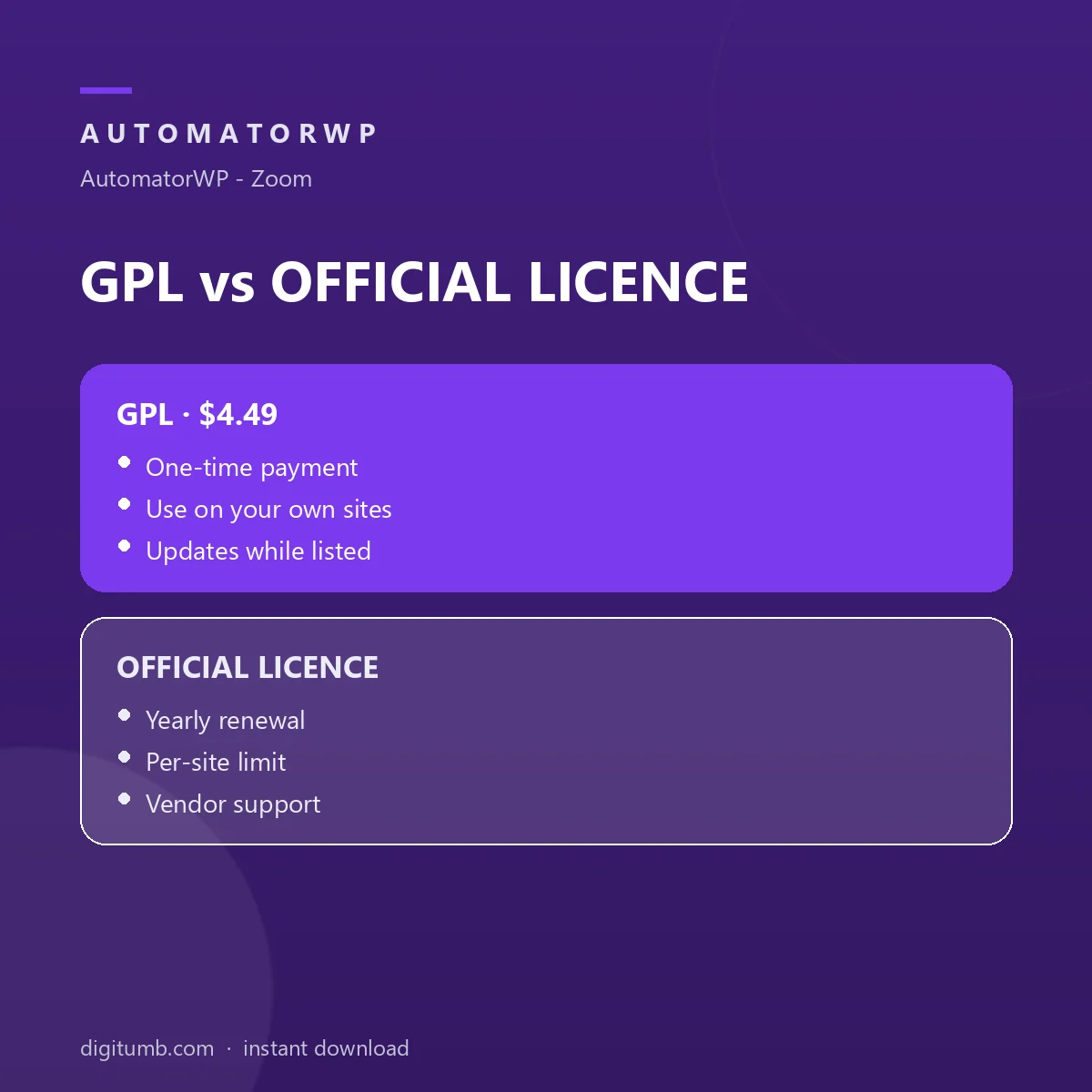
You receive the same files the developer ships, under GPL, for $4.49 at digitumb.com. There is no vendor update channel and no vendor support desk attached to this build.
What the GPL build means for you
This is the same archive the developer publishes, redistributed under the GNU General Public License: you get the working files for $4.49 with no vendor update channel and no vendor support desk. If you need automatic updates or a support contract, buy the official license from the developer.
| This GPL build | Official license | |
|---|---|---|
| Price | $4.49 one time | Vendor subscription |
| Automatic updates | No | Yes |
| Developer support | No | Yes |
| Number of sites | Unlimited | Depends on plan |
Browse the rest of the WordPress plugins category or the full shop. The licence text is at GNU GPL v2, and general documentation is at WordPress.org.
You must be logged in to post a review.
You may also like…

Related products









Reviews
Clear filtersThere are no reviews yet.