
Mec Buddyboss Integration GPL
$4.49
MEC BuddyBoss Integration is a WordPress plugin that connects Modern Events Calendar with the BuddyBoss platform, so events can be assigned to groups and displayed inside a BuddyBoss community.
MEC BuddyBoss Integration is a WordPress plugin that connects Modern Events Calendar with the BuddyBoss platform, so events can be assigned to groups and displayed inside a BuddyBoss community. Members can submit events through the community instead of a separate admin workflow. This build ships the same plugin files as the developer releases, at $4.49, with no vendor update channel and no vendor support desk.
| Product | mec-buddyboss-integration |
|---|---|
| Version | 2.6.0 |
| Works with | WordPress 6.x+ / PHP 8.x+ |
| Tested up to | WordPress current |
| License | GPLv2 or later |
| Delivery | Instant ZIP download, 10 downloads, 365 days |
How MEC BuddyBoss Integration ties events to BuddyBoss groups
The plugin assigns events to BuddyBoss groups. Once an event belongs to a group, it can be shown within that group's area of the community, which keeps event listings close to the members who follow the group.
Group context also drives event submission. The event submission form carries the group selection, so a member submitting an event does not have to pick the group manually; the plugin fills that in.
Member event submission inside a BuddyBoss community
Members submit events from the community rather than from the WordPress dashboard. The submission path is the Modern Events Calendar event form, presented within the BuddyBoss environment.
Because the group is carried through the form, submitted events land in the right group context. Group content menus include an events entry, so members can reach the events attached to a group from the group itself.
BuddyBoss roles, privacy and permissions in this plugin
Default BuddyBoss roles display correctly even when the Forum Discussions component is turned off, so role-based access does not depend on forums being active.
Profile URLs use the chosen username rather than the user email, which closes a privacy gap that matters for GDPR-facing sites. The 'Create New' event button is limited to users who have the required connection or group membership, so it no longer appears on profiles and groups where the viewer has no standing.
Compatibility with MEC Lite, the BuddyBoss theme and other plugins
Activation works alongside MEC Lite, so the integration can be brought up on a site running the lighter calendar build.
The plugin is built for the BuddyBoss theme, which keeps the event screens visually consistent with the rest of the community. It is also designed to work with other popular plugins such as WooCommerce and membership plugins.
What this build includes
| Assign events to BuddyBoss groups | Attach calendar events to groups so each group shows the events that belong to it inside the community. |
|---|---|
| Member event submission | Let community members submit events through the Modern Events Calendar form without leaving the BuddyBoss environment. |
| Automatic group selection on submission | The submission form carries the group, so members no longer have to select the group manually when adding an event. |
| Events entry in group content menus | Group content menus include an events item, giving members a direct route to the events attached to their group. |
| Username-based profile URLs | Profile URLs show the chosen username instead of the user email, avoiding an email exposure that conflicts with GDPR expectations. |
| Restricted Create New event button | The Create New event button appears only for users with the needed connection or group membership, on profiles and in groups. |
| Roles without Forum Discussions | Default BuddyBoss roles keep displaying when the Forum Discussions component is disabled, so role assignment is not tied to forums. |
| MEC Lite activation | The integration activates correctly on sites running MEC Lite, the lighter build of Modern Events Calendar. |
Installing it on a WordPress site
- Install the plugin zip from the WordPress Plugins screen and activate MEC BuddyBoss Integration.
- Confirm that Modern Events Calendar and the BuddyBoss platform are active on the site, and that MEC Lite activates cleanly if that is the calendar build in use.
- Open the group whose events you want to manage and check that the events content menu entry and the event submission form carry the group correctly.
Frequently asked questions
What does MEC BuddyBoss Integration actually do?
It connects Modern Events Calendar with the BuddyBoss platform. Events can be assigned to groups, members can submit events from the community, and event displays sit inside the BuddyBoss group areas instead of a separate calendar screen.
Can members submit events without choosing a group themselves?
Yes. The event submission form carries the group selection, so members do not have to pick the group manually each time they add an event. The submitted event keeps the group context it was created in.
Does it work with the BuddyBoss theme?
The plugin is fully compatible with the BuddyBoss theme, so event screens follow the same look and feel as the rest of the community. It is also designed to work with popular plugins such as WooCommerce and membership plugins.
Is MEC Lite supported?
Activation with MEC Lite is handled; the 2.5.1 release fixed an activation issue with MEC Lite. Sites running the lighter calendar build can use the integration alongside it.
What do I receive for $4.49?
You receive the GPL build of the plugin, version 2.6.0, as a 0.2 MB zip. It contains the same files the developer ships. There is no vendor update channel and no vendor support desk with this purchase.
Does the plugin change how profile URLs are built?
Profile URLs use the chosen username rather than the user email. That change was made to address a privacy issue where an email could appear in a profile URL, which conflicts with GDPR expectations.
What the GPL build means for you
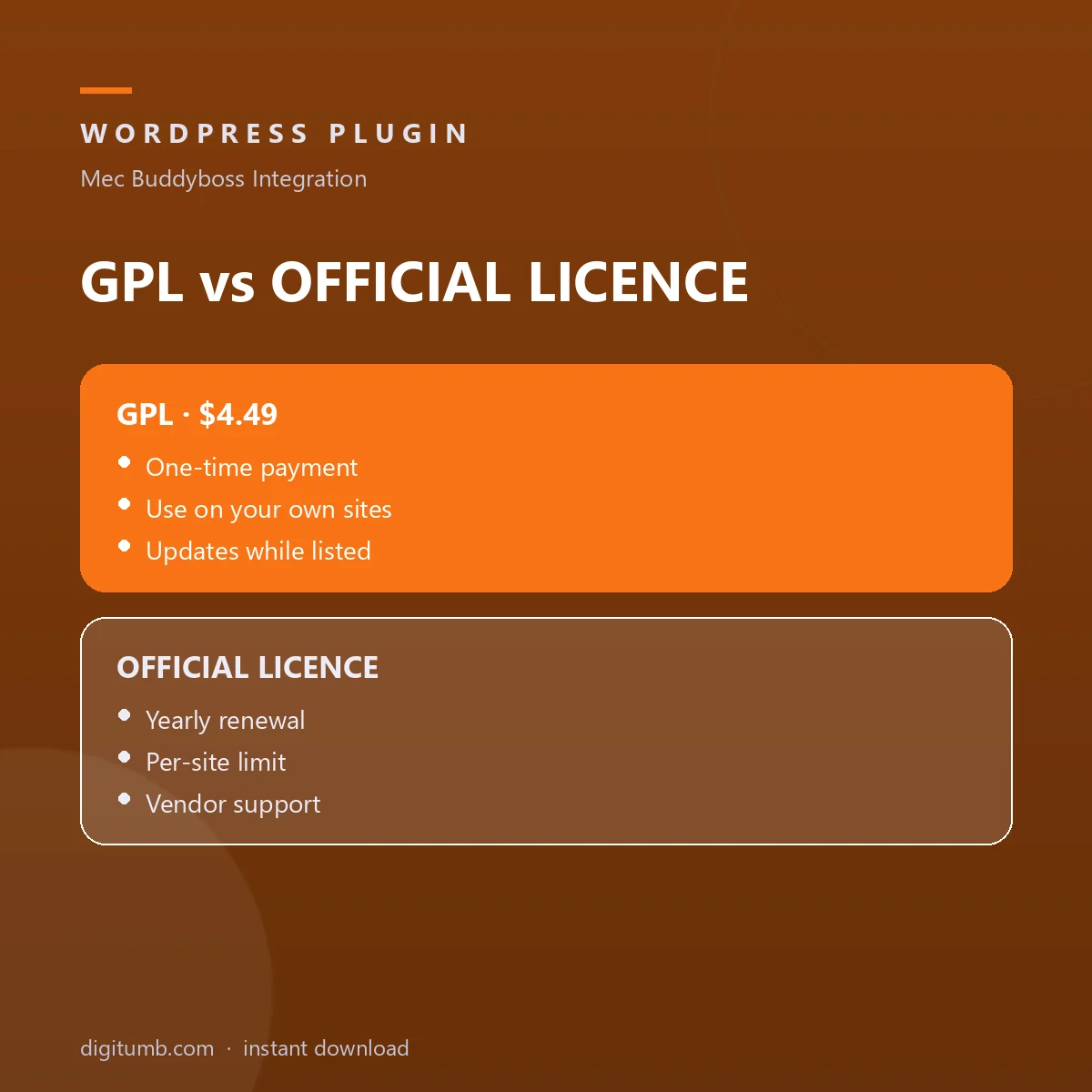
This is the same archive the developer publishes, redistributed under the GNU General Public License: you get the working files for $4.49 with no vendor update channel and no vendor support desk. If you need automatic updates or a support contract, buy the official license from the developer.
| This GPL build | Official license | |
|---|---|---|
| Price | $4.49 one time | Vendor subscription |
| Automatic updates | No | Yes |
| Developer support | No | Yes |
| Number of sites | Unlimited | Depends on plan |
Browse the rest of the WordPress plugins category or the full shop. The licence text is at GNU GPL v2, and general documentation is at WordPress.org.
You must be logged in to post a review.
You may also like…

Related products







Reviews
Clear filtersThere are no reviews yet.