

Genesis Devkit Plugin GPL – WordPress Theme
$4.49
Genesis Devkit Plugin is a point-and-click toolkit that extends the functionality and customization options of WordPress themes, so you can build unique, professional-looking sites without.
Genesis Devkit Plugin is a point-and-click toolkit that extends the functionality and customization options of WordPress themes, so you can build unique, professional-looking sites without hand-coding templates. Its settings screens bring together Genesis Blocks, Simple Social Icons and contact form options, plus homepage packs designed with black and white or color images. The GPL build from Digitumb is the same files the developer ships, priced at $4.49, with no vendor update channel and no vendor support desk.
| Product | genesis-devkit-plugin |
|---|---|
| Version | 1.6.4 |
| Works with | WordPress 6.x+ / PHP 8.x+ |
| Tested up to | WordPress current |
| License | GPLv2 or later |
| Delivery | Instant ZIP download, 10 downloads, 365 days |
What Genesis Devkit Plugin adds to a WordPress theme
The plugin supplies a set of tools and features that enhance how far you can take a WordPress theme. Instead of editing template files for every layout change, you work through point-and-click settings that control the components the plugin exposes, including content blocks, social icons and form placements.
Because the tools sit on top of the active theme, they apply to whatever site you are building. The vendor lists compatibility with WooCommerce and with the Astra theme, so the same customization options carry into an online store or an Astra-based layout.
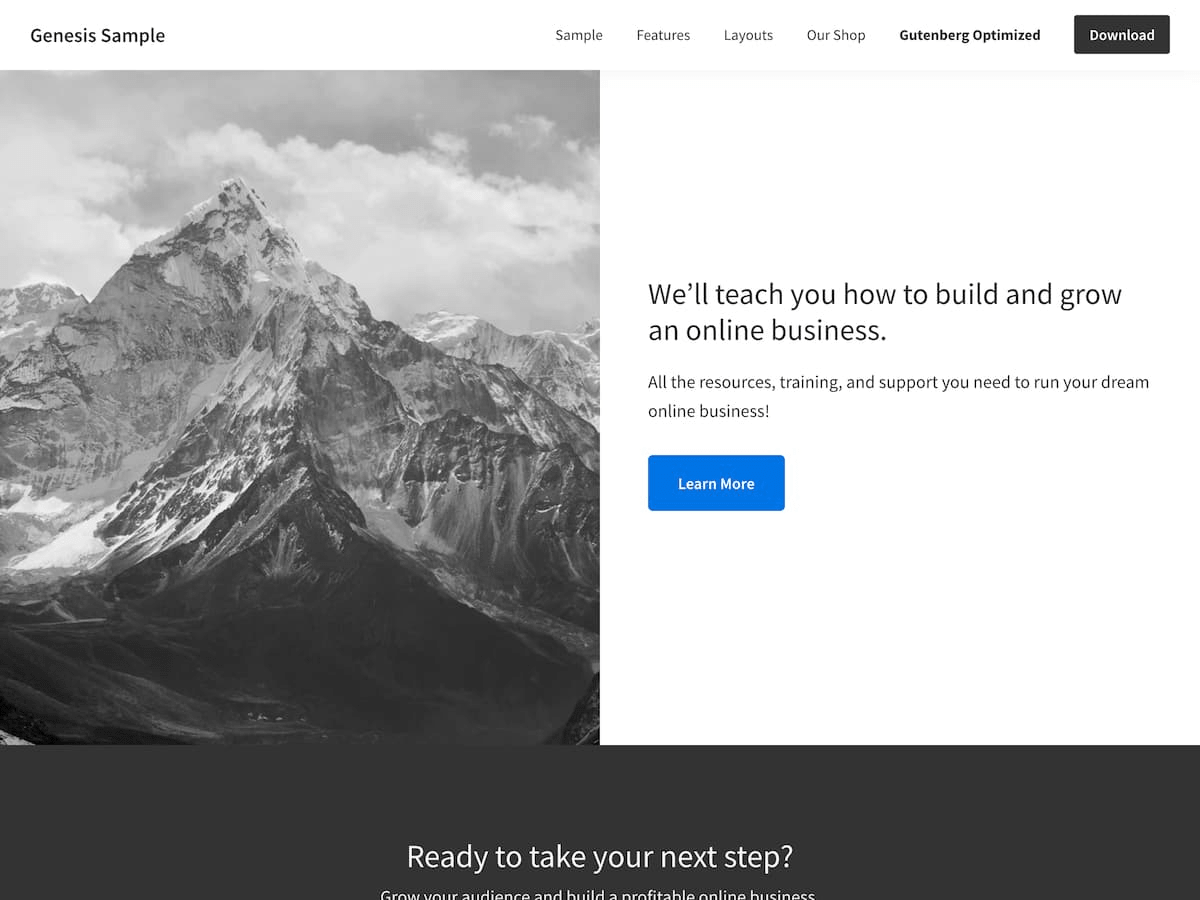
Homepage packs with black and white or color imagery
Two homepage packs ship with the plugin. One is designed around black and white images, giving a restrained, high-contrast starting point for the front page. The other is designed around color images, for sites where photography carries the visual weight.
Both packs are selected from the plugin's own settings surface, so choosing a direction for the homepage is a point-and-click decision rather than a manual page build.
Genesis Blocks, Simple Social Icons and forms in one settings area
The settings screens list Genesis Blocks and Simple Social Icons alongside third-party integrations for Genesis eNews Extended and WPForms Lite. A Simple Contact Form entry is also present, which covers the common case of putting a short contact form on a page.
For stores, the plugin points you to install and activate Genesis Connect for WooCommerce when you want WooCommerce layouts inside a Genesis setup. The vendor confirms WooCommerce compatibility, so the plugin and an online store can run together.
Logo width control with input validation
A dedicated setting sets the maximum width of the logo in pixels. The field validates what you type: it requires a valid number, and the logo width cannot be less than 100, so a mistyped value is rejected before it reaches the layout.
That single numeric control is typical of how the plugin works. You adjust a visible value in the settings screen and the theme output follows, without touching stylesheets.
Genesis Devkit Plugin and the Genesis Sample theme
Genesis Sample is identified in the interface as the sample theme created for the Genesis Framework, and it is the reference point for testing how the plugin's options render. Pair it with the homepage packs to see the black and white and color directions side by side.
The plugin also works alongside Astra according to the vendor, which gives you a second theme option when the project calls for a different base.
What this build includes
| Point-and-click theme customization | Adjust theme functionality and customization options from intuitive settings screens instead of editing template code by hand. |
|---|---|
| Genesis Blocks | Use the Genesis Blocks component listed in the plugin's settings to place structured content on pages. |
| Simple Social Icons | Add social icon links to your site through the Simple Social Icons option exposed in the settings area. |
| Two homepage packs | Choose a homepage designed with black and white images or one designed with color images as your starting layout. |
| Logo width control | Set the maximum logo width in pixels, with validation that rejects non-numbers and values below 100. |
| WooCommerce compatibility | Build online stores with customizable layouts and features; the plugin directs you to install Genesis Connect for WooCommerce. |
| Astra theme support | Run the plugin with the Astra theme to gain additional customization options and features on top of it. |
| Contact and newsletter forms | Access a Simple Contact Form plus third-party entries for Genesis eNews Extended and WPForms Lite in the settings screens. |
Installing it on a WordPress site
- Upload the plugin zip file to your WordPress site and activate Genesis Devkit Plugin.
- Open the plugin's settings screens and choose a homepage pack: the black and white image design or the color image design.
- Set the maximum logo width in pixels, then activate Genesis Blocks, Simple Social Icons and the form options you need; for a store, install and activate Genesis Connect for WooCommerce.
Latest changes
This listing is for Genesis Devkit Plugin version 1.6.4, packaged as a 2.8 MB zip.
Frequently asked questions
What does Genesis Devkit Plugin actually do?
It provides a set of tools and features that enhance the functionality and customization options of WordPress themes. Through point-and-click settings you can create unique and professional-looking websites, with components such as Genesis Blocks, Simple Social Icons and form options available from the plugin's own screens.
Does Genesis Devkit Plugin work with WooCommerce?
Yes. The vendor states the plugin is compatible with WooCommerce, so you can create fully functional online stores with customizable layouts and features. The settings also direct you to install and activate Genesis Connect for WooCommerce when you want that connection in place.
Can I use it with the Astra theme?
Yes. Genesis Devkit Plugin works well with Astra, adding customization options and features to enhance an Astra-based site. The vendor lists Astra compatibility alongside the plugin's own theme tools.
What are the homepage packs?
The plugin includes two homepage packs: one designed with black and white images and one designed with color images. You pick the direction that suits your site and build the front page from that starting layout.
What happens if I enter an invalid logo width?
The logo width field requires a valid number. If the value is not a number, or if it falls below 100, the settings screen rejects it, so the maximum logo width in pixels stays within the allowed range.
Is this the same build the developer ships?
Yes. This is a GPL build containing the same files as the developer ships, available from Digitumb for $4.49. It comes without a vendor update channel and without a vendor support desk, so plan updates and assistance accordingly.
What the GPL build means for you
This is the same archive the developer publishes, redistributed under the GNU General Public License: you get the working files for $4.49 with no vendor update channel and no vendor support desk. If you need automatic updates or a support contract, buy the official license from the developer.
| This GPL build | Official license | |
|---|---|---|
| Price | $4.49 one time | Vendor subscription |
| Automatic updates | No | Yes |
| Developer support | No | Yes |
| Number of sites | Unlimited | Depends on plan |
Browse the rest of the WordPress themes category or the full shop. The licence text is at GNU GPL v2, and general documentation is at WordPress.org.
You must be logged in to post a review.
You may also like…

Related products








Reviews
Clear filtersThere are no reviews yet.