



Audioigniter Pro GPL – WordPress Plugin
$4.49
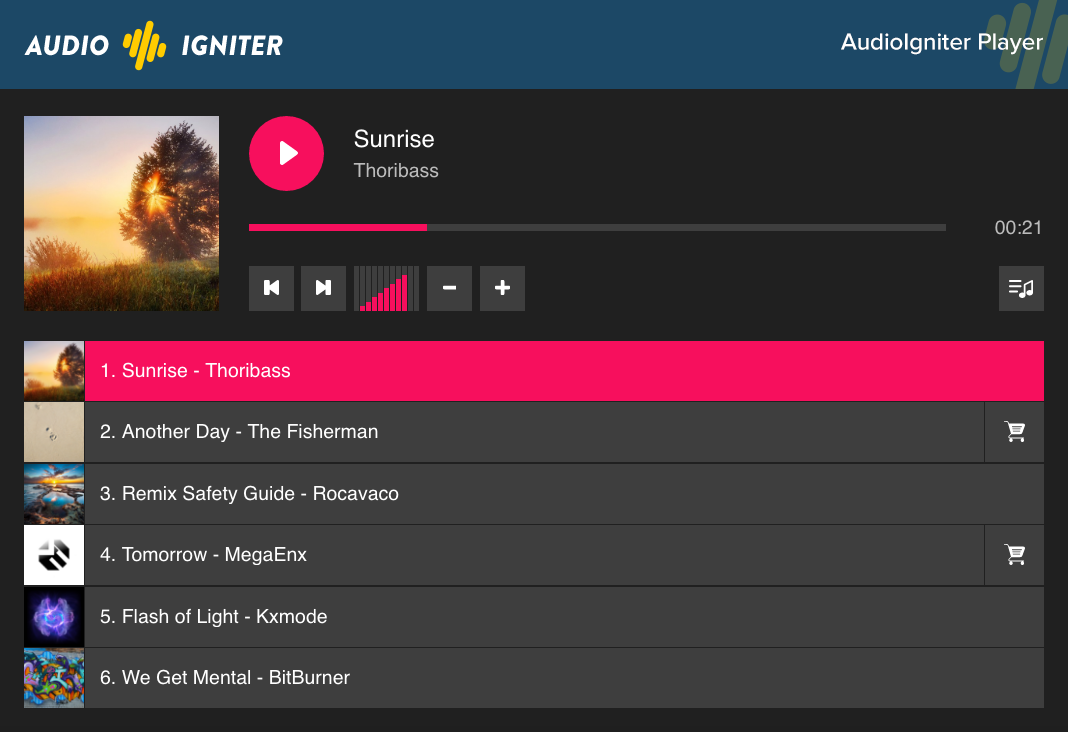
Audioigniter Pro is a WordPress plugin that lets you manage and display audio files on your website. It provides a customizable audio player, playlist functionality and support for various audio.
Audioigniter Pro is a WordPress plugin that lets you manage and display audio files on your website. It provides a customizable audio player, playlist functionality and support for various audio formats, which makes it useful for audio content creators. Playlists can be grouped into categories for better organization, and the player can be placed where your visitors need it. The store sells the GPL build for $4.49.
| Product | audioigniter-pro |
|---|---|
| Version | 2.0.3 |
| Works with | WordPress 6.x+ / PHP 8.x+ |
| Tested up to | WordPress current |
| License | GPLv2 or later |
| Delivery | Instant ZIP download, 10 downloads, 365 days |
How Audioigniter Pro organizes audio files and playlists
The plugin gives you a player and a playlist system for the audio files you upload to WordPress. A built-in media selector labelled 'Select or upload audio media' lets you pick the tracks that go into a playlist. Playlist categories exist solely for better playlist organization, and each category can have a parent, so you can group related playlists.
Category management screens cover the usual actions: add a new playlist category, edit one, update it or view it. You can search playlist categories and filter by all playlist categories or by parent playlist categories, and the screen also shows popular playlist categories.
Player controls you can turn on for listeners
Player buttons are configurable, and a shuffle button can be enabled. Individual track repeat can be allowed, and playback rate control can be switched on for listeners who want to change speed. Position skipping is available with a seconds-to-skip value you set.
Timing options let you choose a starting track number and a delay between tracks measured in seconds, so you can set a number of seconds to wait before the next track plays. The track timer can start as a countdown, and playback can be set to stop after each track.
SoundCloud tracks and download links
SoundCloud is supported for single tracks only; the player does not handle SoundCloud playlists. You set your SoundCloud client ID in the customizer. If data cannot be fetched from SoundCloud, the player reports the error, and it also notes when the track owner has disabled external embedding.
A download URL can be synced with an audio file or unsynced from it, which keeps the download link tied to the track it belongs to.
Selling audio and building players in Elementor
Audioigniter Pro is compatible with WooCommerce, so you can sell your audio files directly from your online store. It also integrates with Elementor, which means you can customize the audio player and playlists using the Elementor page builder rather than editing templates by hand.
The package is 0.3 MB and contains the inc, block and element folders.
What this build includes
| Playlist categories | Group playlists into categories with optional parent categories, then search and filter them to keep a large audio library organized. |
|---|---|
| Configurable player buttons | Choose which player buttons appear, including a shuffle button, so the interface matches how you want visitors to listen. |
| Individual track repeat | Allow listeners to repeat a single track instead of the whole playlist. |
| Playback rate control | Enable a speed control so listeners can change the playback rate of the audio. |
| Position skipping | Set a number of seconds to skip, giving listeners a jump control inside the player. |
| Track timing options | Pick a starting track number and a delay between tracks in seconds, and set the track timer to start as a countdown. |
| SoundCloud single tracks | Add SoundCloud single tracks using a client ID set in the customizer; the player reports fetch errors and disabled embedding. |
| Download URL sync | Sync a download URL with an audio file or unsync it, keeping the download link matched to the track. |
| WooCommerce compatibility | Sell audio files directly from your online store with the plugin running alongside WooCommerce. |
| Elementor integration | Customize the audio player and playlists from the Elementor page builder. |
Installing it on a WordPress site
- Upload the plugin file through the Plugins section in your WordPress dashboard.
- Activate the plugin, then open the Audioigniter settings to configure your audio player.
- Start adding audio files using the media selector and organize them into playlists and playlist categories.
Frequently asked questions
What does Audioigniter Pro do?
It is a WordPress plugin for managing and displaying audio files on your site. It provides a customizable audio player, playlist functionality and support for various audio formats, which makes it suitable for audio content creators who publish tracks or shows.
Can I sell audio files with WooCommerce using this plugin?
Yes. Audioigniter Pro is compatible with WooCommerce, so you can sell your audio files directly from your online store while the plugin handles the player and playlists on the front end.
Does Audioigniter Pro work with Elementor?
It integrates with Elementor, so you can customize your audio player and playlists using the Elementor page builder. That means player placement and styling can be handled from the same builder you use for the rest of the page.
Can the player handle SoundCloud playlists?
Currently only single tracks are supported by the Audioigniter player. You set your SoundCloud client ID in the customizer. If a fetch fails, the player shows an error, and it notes when the track owner has disabled external embedding.
How do I set up Audioigniter Pro on my WordPress site?
Upload the plugin file through the Plugins section in your WordPress dashboard. After activation, navigate to the Audioigniter settings to configure your audio player and start adding audio files.
What am I buying at this price?
You receive a GPL build of version 2.0.3, the same files the developer ships, as a 0.3 MB zip, for $4.49. There is no vendor update channel and no vendor support desk attached to this purchase.
What the GPL build means for you
This is the same archive the developer publishes, redistributed under the GNU General Public License: you get the working files for $4.49 with no vendor update channel and no vendor support desk. If you need automatic updates or a support contract, buy the official license from the developer.
| This GPL build | Official license | |
|---|---|---|
| Price | $4.49 one time | Vendor subscription |
| Automatic updates | No | Yes |
| Developer support | No | Yes |
| Number of sites | Unlimited | Depends on plan |
Browse the rest of the WordPress plugins category or the full shop. The licence text is at GNU GPL v2, and general documentation is at WordPress.org.
You must be logged in to post a review.
You may also like…

Related products








Reviews
Clear filtersThere are no reviews yet.