


Gravity Forms Survey GPL
$4.49
Gravity Forms Survey is an add-on for Gravity Forms that lets you create customizable surveys on your WordPress site and gather feedback and insights from visitors. It adds survey-specific field.
Gravity Forms Survey is an add-on for Gravity Forms that lets you create customizable surveys on your WordPress site and gather feedback and insights from visitors. It adds survey-specific field types, Likert matrices and scoring to the standard Gravity Forms form builder, so you can run market research directly from your own site. This GPL build ships the same files as the developer releases, without a vendor update channel or vendor support desk, for $4.49.
| Product | gravity-forms-survey |
|---|---|
| Version | 4.2.3 |
| Works with | WordPress 6.x+ / PHP 8.x+ |
| Tested up to | WordPress current |
| License | GPLv2 or later |
| Delivery | Instant ZIP download, 10 downloads, 365 days |
What the Survey Add-On adds to Gravity Forms
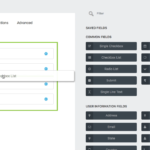
The add-on registers a survey field in the Gravity Forms editor. You enter the question you want to ask, then choose the survey field type that matches it, such as single line text or paragraph text. Each field can be reordered by dragging, so you can arrange the questionnaire in the order you want respondents to see.
Likert fields are built in with the familiar Strongly disagree to Strongly agree scale. You edit the choices for the Likert columns, and you can enable multiple rows when you want a grid of statements answered on the same scale, with editable text to the left of each row.
Scoring and reviewing survey results
Scoring can be enabled on survey fields, giving each answer a field score. The add-on tracks the survey total score across a submission, so a respondent's answers add up to a single number you can review.
Submitted survey data is available under Survey Entries, and the Survey Results view shows how responses came in. When a contact has no survey submissions, the entries area shows that this contact has not submitted any survey entries yet.
Building surveys inside Elementor and WooCommerce sites
Survey fields work inside Elementor-designed pages, so you can place a survey in a page layout you have already built rather than creating a separate template. The add-on is also compatible with WooCommerce, which lets you create surveys related to your products and services.
Because surveys are built with the Gravity Forms interface, the questions are managed in the same place as your other Gravity Forms forms, and the add-on's settings screens use the standard drag-and-drop field layout.
What this build includes
| Likert matrix fields | Create Likert questions with editable columns from Strongly disagree to Strongly agree, and enable multiple rows for grid-style statements. |
|---|---|
| Survey field types | Choose the field type used for each survey question, including single line text and paragraph text fields. |
| Field scoring | Enable scoring on survey fields so answers carry a field score and roll up into a survey total score. |
| Survey results view | Review collected responses in the Survey Results screen and check Survey Entries for submitted survey data. |
| Drag-to-reorder questions | Reorder survey fields by dragging, and add or remove rows and columns in Likert questions from the field settings. |
| Elementor compatibility | Place surveys on Elementor-designed pages, keeping the survey inside the layout you built in Elementor. |
| WooCommerce compatibility | Build surveys related to your products and services on a WooCommerce site using the same survey fields. |
Installing it on a WordPress site
- Upload the plugin zip file to your WordPress site through the Plugins section.
- Activate the Gravity Forms Survey Add-On plugin.
- Start building your surveys using the survey field and its settings in the Gravity Forms interface.
Latest changes
Version 4.2.3 is the current build in this package, delivered as a 0.2 MB zip.
Frequently asked questions
What does Gravity Forms Survey do?
It lets you create customizable surveys on your WordPress site and gather feedback and insights from visitors. The add-on adds survey fields, Likert columns and rows, scoring and a Survey Results view to Gravity Forms, so you can run market research from your own site.
Does Gravity Forms Survey work with WooCommerce?
Yes. Gravity Forms Survey is compatible with WooCommerce, which allows you to create surveys related to your products and services. The survey fields are added through Gravity Forms, so the questions sit alongside your other forms on the same WordPress install.
Can I use Gravity Forms Survey with Elementor?
Yes. Gravity Forms Survey works with Elementor, allowing you to incorporate surveys into your Elementor-designed pages easily. You can build the page layout in Elementor and include the survey fields without moving the questionnaire to a separate template.
How do I set up Gravity Forms Survey on my WordPress site?
Upload the plugin file to your WordPress site through the Plugins section, activate it, and then start building your surveys using the intuitive interface provided. From there you add survey fields, set the question text and field type, and configure Likert columns and rows where needed.
How is this GPL build different from buying from the developer?
This is a GPL build: you get the same files as the developer ships for $4.49. There is no vendor update channel and no vendor support desk with this purchase, so plan to manage updates and support on your own side.
What the GPL build means for you
This is the same archive the developer publishes, redistributed under the GNU General Public License: you get the working files for $4.49 with no vendor update channel and no vendor support desk. If you need automatic updates or a support contract, buy the official license from the developer.
| This GPL build | Official license | |
|---|---|---|
| Price | $4.49 one time | Vendor subscription |
| Automatic updates | No | Yes |
| Developer support | No | Yes |
| Number of sites | Unlimited | Depends on plan |
Browse the rest of the WordPress plugins category or the full shop. The licence text is at GNU GPL v2, and general documentation is at WordPress.org.
You must be logged in to post a review.
You may also like…

Related products








Reviews
Clear filtersThere are no reviews yet.