


WooCommerce Elavon Converge Gateway – WordPress Plugin
$4.49
WooCommerce Elavon Converge Gateway is a WordPress plugin that connects a WooCommerce store to the Elavon Converge payment platform. Shoppers pay by credit card or eCheck, and the plugin supports.
WooCommerce Elavon Converge Gateway is a WordPress plugin that connects a WooCommerce store to the Elavon Converge payment platform. Shoppers pay by credit card or eCheck, and the plugin supports card tokenization and multi-currency transactions. You enter your Converge merchant credentials in WooCommerce settings, and the gateway handles the rest at checkout.
| Product | WooCommerce Elavon Converge Gateway |
|---|---|
| Version | 2.14.10 |
| Works with | WordPress 5.6+ / PHP 7.4+ |
| Tested up to | WordPress 7.1.2 |
| License | GPLv2 or later |
| Delivery | Instant ZIP download, 10 downloads, 365 days |
How the Converge gateway handles credit cards and eChecks
The plugin adds two payment methods to WooCommerce: Elavon Converge Credit Card and Elavon Converge eCheck. Each has its own configuration screen, so you can enable card payments, eCheck payments, or both. Card tokenization is supported, which lets returning customers pay without re-entering card details.
In the credit card settings you enter your Converge user ID and the PIN generated within Converge. The eCheck settings include an Authorization Terms field, where you write the payment authorization text the customer reads and agrees to during checkout. A customer who does not accept those terms cannot proceed.
Demo credentials for testing before you go live
A separate Demo Account ID field takes a Converge demo user ID and the matching demo PIN. You can run test transactions against the Converge demo environment before switching the gateway to live credentials.
The plugin also checks what comes back from Converge. If a queried transaction returns an order ID or an amount that does not match the order in WooCommerce, the payment is not accepted. Missing payment tokens or transaction IDs are rejected as well.
Multi-currency and merchant terminal currency
The Multi-Currency section has a switch to enable multi-currency transactions and a Merchant Terminal Currency setting that defines the currency in which you accept settled payments. Orders placed in a different currency are handled by the gateway according to these settings.
One limit applies: multi-currency orders cannot be voided from WooCommerce. If a transaction needs to be reversed, that action happens on the Converge side. The plugin also surfaces a voice authorization message when Converge asks you to call your merchant account to complete a transaction.
Running Converge alongside your other payment methods
The gateway is built to work alongside other popular payment plugins, so you can keep existing options such as bank transfer or another card processor and add Converge as an extra choice at checkout. It is also compatible with most popular WordPress themes, so the checkout keeps the look of your site.
The plugin includes translation files in an i18n folder and requires WordPress 5.6 and PHP 7.4 or later. This build is version 2.14.10 and the zip is 1.7 MB.
What this build includes
| Credit card payments through Converge | Adds an Elavon Converge Credit Card method to WooCommerce checkout, configured with your Converge user ID and PIN. |
|---|---|
| eCheck payments | Adds a separate Elavon Converge eCheck method with its own settings screen and authorization terms shown to the customer. |
| Card tokenization | Stores payment tokens so returning customers can pay without entering their card details again. |
| Demo account testing | Lets you enter a Converge demo user ID and demo PIN to test transactions before using live merchant credentials. |
| Multi-currency transactions | A switch enables multi-currency transactions, and a Merchant Terminal Currency setting defines the currency you settle payments in. |
| Transaction verification | Rejects payments when the returned order ID or processed amount does not match the WooCommerce order. |
| Editable authorization terms | Lets you write the payment authorization text customers must read and accept before completing an eCheck order. |
| Works with other payment plugins | Designed to run alongside other popular payment plugins so your store can offer several payment options. |
Installing it on a WordPress site
- Upload the entire 'woocommerce-gateway-elavon' folder to the '/wp-content/plugins/' directory.
- Activate the plugin through the 'Plugins' menu in WordPress.
- Open WooCommerce settings, enter your Elavon merchant account details, and configure the credit card and eCheck options.
Latest changes
This build is version 2.14.10 of the plugin.
Frequently asked questions
What does WooCommerce Elavon Converge Gateway do?
It lets an online store process payments through the Elavon payment platform, so customers can pay for products or services by credit card or eCheck. Card tokenization is supported, and the gateway can run in multi-currency mode with a merchant terminal currency you define.
How do I set up the gateway on my WordPress site?
Upload the plugin through the WordPress admin panel, activate it, then go to WooCommerce settings and enter your Elavon merchant account details. Separate screens let you configure credit cards and eChecks, including Converge user IDs and PINs.
Can I test payments before going live?
Yes. The settings include a Demo Account ID field for a Converge demo user ID and demo PIN, so you can run transactions against the demo environment before switching to your live merchant credentials.
Can I offer Converge next to my existing payment methods?
The gateway is designed to work alongside other popular payment plugins, so you can keep your current options and add Converge as an additional choice at checkout. It is also compatible with most popular WordPress themes.
Why can't I void a multi-currency order from WooCommerce?
Multi-currency orders cannot be voided from WooCommerce through this gateway. Reversals for those orders are handled on the Converge side rather than inside the store admin.
What are the GPL terms and the price?
You receive the same plugin files the developer ships, under the GPL, for $4.49. There is no vendor update channel and no vendor support desk with this build. It requires WordPress 5.6 and PHP 7.4 or later.
What the GPL build means for you
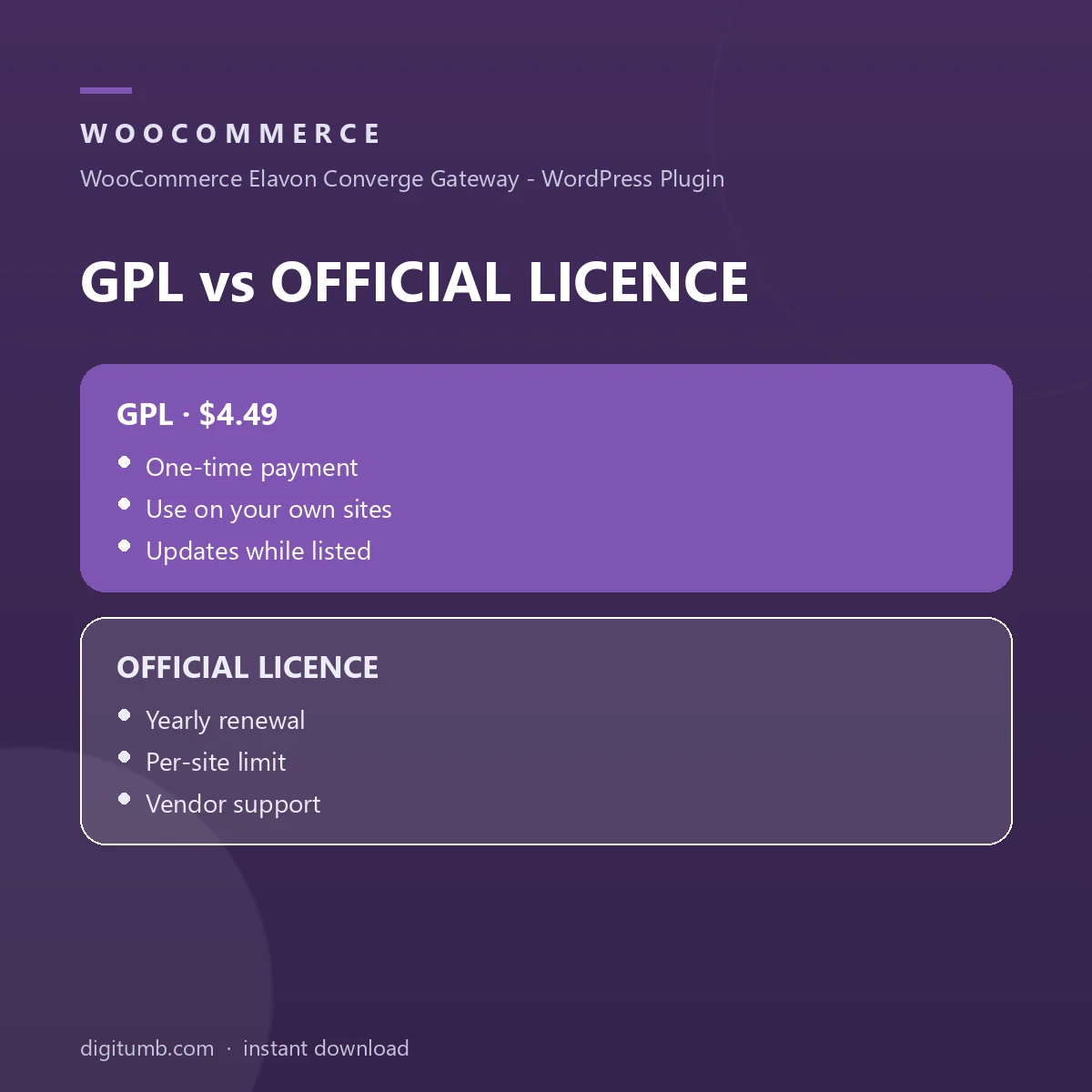
This is the same archive the developer publishes, redistributed under the GNU General Public License: you get the working files for $4.49 with no vendor update channel and no vendor support desk. If you need automatic updates or a support contract, buy the official license from the developer.
| This GPL build | Official license | |
|---|---|---|
| Price | $4.49 one time | Vendor subscription |
| Automatic updates | No | Yes |
| Developer support | No | Yes |
| Number of sites | Unlimited | Depends on plan |
Browse the rest of the WordPress plugins category or the full shop. The licence text is at GNU GPL v2, and general documentation is at WordPress.org.
You must be logged in to post a review.
You may also like…

Related products








Reviews
Clear filtersThere are no reviews yet.