

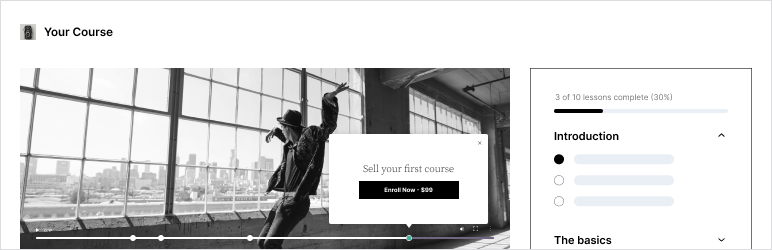


Sensei LMS GPL – WordPress Plugin
$4.49
Sensei LMS WordPress Plugin is an LMS plugin for WordPress that lets you create and manage online courses, track student progress and conduct assessments. It gives educators and learners a.
Sensei LMS WordPress Plugin is an LMS plugin for WordPress that lets you create and manage online courses, track student progress and conduct assessments. It gives educators and learners a user-friendly interface for publishing lessons, running quizzes and following enrollment. Courses can be sold through WooCommerce, and course pages can be designed with Elementor.
| Product | sensei-lms-wordpress-plugin |
|---|---|
| Version | 4.26.1.1.24.7 |
| Works with | WordPress 6.x+ / PHP 8.x+ |
| Tested up to | WordPress current |
| License | GPLv2 or later |
| Delivery | Instant ZIP download, 10 downloads, 365 days |
What Sensei LMS Lets You Build on a WordPress Site
Sensei LMS turns a WordPress install into a course platform. You create courses and lessons, attach quizzes to lessons, and let students enroll and work through the material. Student progress is tracked on the course, and assessment happens through quiz questions, including category-question placeholders that carry no points of their own.
The plugin works for both sides of the classroom. Educators get screens to manage courses, lessons, questions and enrolled students, while learners get a front-end course experience. An interface string in the plugin reads 'Learn with style', and the settings include a 'Complete Lesson' control and a Source Serif Pro font option.
Selling Courses Through WooCommerce
Sensei LMS is compatible with WooCommerce, so you can sell your courses directly through a WooCommerce store. That means course access can sit behind a normal product purchase rather than a separate checkout system.
Because the course and the product live in the same WordPress install, the catalog, orders and course content stay together in one dashboard.
Designing Course Pages with Elementor
Sensei LMS works with Elementor, so you can design custom course pages using the Elementor page builder. Layout, typography and section order on course pages can follow the same design system as the rest of the site.
The plugin's own settings also expose font and lesson-completion options, which cover the parts of the course view that sit outside the page builder.
Managing Students, Lessons and Quizzes
A guide to student management is part of the plugin, and the student list is paginated with a 'Students per page' setting. The student listing can be filtered by progress state on the course, and searched by display name, login or email.
Lesson and course listings follow the same pattern: filter by post status, search titles and content, and page through results. Teachers see only their own courses and lessons in these lists, which keeps each instructor's view to their own material.
What this build includes
| Course and lesson creation | Create and manage online courses with lessons attached to them, all from the WordPress dashboard. |
|---|---|
| Student progress tracking | Track student progress on a course and filter enrolled students by their progress state. |
| Quizzes and assessments | Conduct assessments through lesson quizzes, with points awarded for a correct answer and support for category-question placeholders. |
| WooCommerce course sales | Sell courses directly through a WooCommerce store using the plugin's WooCommerce compatibility. |
| Elementor course page design | Design custom course pages with the Elementor page builder, which the plugin works with. |
| Teacher-scoped listings | Teachers see only their own courses and lessons in course and lesson listings. |
| Search and filtering | Filter listings by post status and search course, lesson and student records by title, content, display name, login or email. |
| Paginated results | Page through course, lesson, question and student results, with up to 100 records returned per page. |
Installing it on a WordPress site
- Upload the plugin file to your WordPress dashboard.
- Activate the plugin.
- Follow the on-screen setup wizard to configure your courses and settings.
Frequently asked questions
What does Sensei LMS WordPress Plugin do?
It lets you create and manage online courses, track student progress and conduct assessments. The interface is built for both educators and learners, with course and lesson management on one side and a course experience on the other.
Is Sensei LMS compatible with WooCommerce?
Yes. Sensei LMS is compatible with WooCommerce, which allows you to sell your courses directly through your WooCommerce store.
Can I design course pages with Elementor?
Yes. Sensei LMS works well with Elementor, enabling you to design custom course pages using the Elementor page builder.
How do I set up Sensei LMS on my site?
Upload the plugin file to your WordPress dashboard, activate it, and follow the on-screen setup wizard to configure your courses and settings.
What is the GPL position on this build?
You get the same files as the developer ships, under GPL, for $4.49. There is no vendor update channel and no vendor support desk attached to this build.
How many records can a listing return per page?
Course, lesson, question and student listings accept a page number and a per-page count, with a maximum of 100 records returned per page.
What the GPL build means for you
This is the same archive the developer publishes, redistributed under the GNU General Public License: you get the working files for $4.49 with no vendor update channel and no vendor support desk. If you need automatic updates or a support contract, buy the official license from the developer.
| This GPL build | Official license | |
|---|---|---|
| Price | $4.49 one time | Vendor subscription |
| Automatic updates | No | Yes |
| Developer support | No | Yes |
| Number of sites | Unlimited | Depends on plan |
Browse the rest of the WordPress plugins category or the full shop. The licence text is at GNU GPL v2, and general documentation is at WordPress.org.
You must be logged in to post a review.
You may also like…

Related products






Reviews
Clear filtersThere are no reviews yet.