



Jetelements For Elementor GPL
$4.49
JetElements For Elementor is an addon for the Elementor page builder that adds a variety of customizable widgets for building dynamic, visually appealing pages without coding. Its widget set includes.
JetElements For Elementor is an addon for the Elementor page builder that adds a variety of customizable widgets for building dynamic, visually appealing pages without coding. Its widget set includes content blocks such as an advanced carousel and a configurable map, each with its own settings panels. This store sells the GPL build for $4.49: the same plugin files the developer ships, delivered without a vendor update channel or vendor support desk.
| Product | jetelements-for-elementor |
|---|---|
| Version | 2.9.3 |
| Works with | WordPress 6.x+ / PHP 8.x+ |
| Tested up to | WordPress current |
| License | GPLv2 or later |
| Delivery | Instant ZIP download, 10 downloads, 365 days |
What the Advanced Carousel widget lets you build
The Advanced Carousel widget gives you a slider whose items carry their own description, button text and link type, so each slide can point somewhere different or open a link in a new window. You choose a template for the item layout and set the title HTML tag so headings match the rest of the page.
Layout controls cover equal column heights and fluid column widths, plus column padding. Display settings set how many slides show and how many scroll per step. Navigation is optional on both sides: arrow icons with independent vertical and horizontal positioning, dots with a box margin, an autoplay speed, an animation speed, pause on hover, and an animation effect for the slide transitions.
Map widget settings: centre, controls and styling
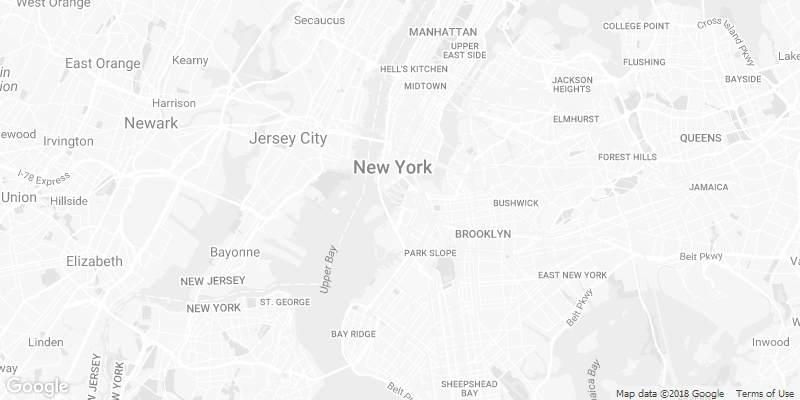
The map widget places a location on your page, with the centre defined either by coordinates or by a street address; the interface shows a London Eye, London, United Kingdom example for the address field. You decide what visitors can operate on the map: scrollwheel zoom, fullscreen control, street view controls, the map/satellite type switch, and whether the map is draggable.
Styling goes past the default map look. A Custom Style JSON field accepts your own map styling, and the same panel handles additional elements colour, background colour and carousel arrow colour where those elements appear.
How JetElements fits your existing Elementor setup
JetElements is designed to work alongside other Elementor addons, so it adds its widgets without requiring you to replace what you already use. It is compatible with popular WordPress themes such as Astra and OceanWP, which means the widgets can be placed on a site built with either theme.
The package includes templates and dummy-data folders, giving you starter content to import and adapt rather than building every carousel or map from an empty widget.
What this build includes
| Advanced Carousel widget | Build slides with item descriptions, button text and a link type per item, and open links in a new window when needed. |
|---|---|
| Slide timing controls | Set slides to show, slides to scroll, autoplay speed, animation speed, pause on hover and the animation effect. |
| Arrow and dot navigation | Turn arrow and dot navigation on separately, choose prev and next icons, and position arrows vertically and horizontally. |
| Column layout options | Apply equal column heights, fluid column widths and column padding to control how carousel items sit in the grid. |
| Configurable map centre | Centre the map by coordinates or by a street address entered in the widget settings. |
| Map interaction toggles | Enable or disable scrollwheel zoom, fullscreen control, street view controls, map type controls and map dragging. |
| Custom map styling | Paste your own Custom Style JSON to change how the map itself is drawn. |
| Colour controls | Adjust background colour and additional elements colour, including carousel arrows, from the widget settings. |
| Bundled templates and dummy data | The zip contains templates and dummy-data folders for starter content you can import and adapt. |
Installing it on a WordPress site
- Upload the plugin zip through Plugins > Add New > Upload Plugin in WordPress and activate it.
- Confirm Elementor is active, then open a page in the Elementor editor and find the JetElements widgets in the widget panel.
- Drag a widget such as Advanced Carousel or the map onto the page, open its settings, and configure layout, navigation or map options; import the bundled templates and dummy data if you want starter layouts.
Latest changes
This package contains JetElements For Elementor version 2.9.3.
Frequently asked questions
Do I need Elementor installed to use JetElements?
Yes. JetElements is an addon that adds widgets to the Elementor page builder, so Elementor must be active on the site for the widgets to appear and work. The plugin is built to extend Elementor rather than replace it.
Can I use JetElements with other Elementor addons?
JetElements is designed to work with other Elementor addons, adding its own widgets and features on top of the page builder. You do not have to remove existing addons to use it.
Does it work with Astra or OceanWP?
Yes. JetElements is compatible with popular WordPress themes including Astra and OceanWP, so you can place its widgets on a site running either theme.
What can I change about the carousel?
Slides to show and scroll, autoplay and animation speed, pause on hover, animation effect, equal column heights, fluid column widths, column padding, title HTML tag, arrow icons and positions, and dot box margin are all set in the widget.
How is the map positioned?
You choose the map centre type and provide either coordinates or a street address. From the same settings you control scrollwheel zoom, fullscreen, street view, map type controls, dragging and custom style JSON.
What do I receive for $4.49?
You receive the GPL build of JetElements For Elementor version 2.9.3 as a 2.3 MB zip: the same plugin files the developer ships. There is no vendor update channel and no vendor support desk with this purchase.
What the GPL build means for you
This is the same archive the developer publishes, redistributed under the GNU General Public License: you get the working files for $4.49 with no vendor update channel and no vendor support desk. If you need automatic updates or a support contract, buy the official license from the developer.
| This GPL build | Official license | |
|---|---|---|
| Price | $4.49 one time | Vendor subscription |
| Automatic updates | No | Yes |
| Developer support | No | Yes |
| Number of sites | Unlimited | Depends on plan |
Browse the rest of the WordPress plugins category or the full shop. The licence text is at GNU GPL v2, and general documentation is at WordPress.org.
You must be logged in to post a review.
You may also like…

Related products









Reviews
Clear filtersThere are no reviews yet.