
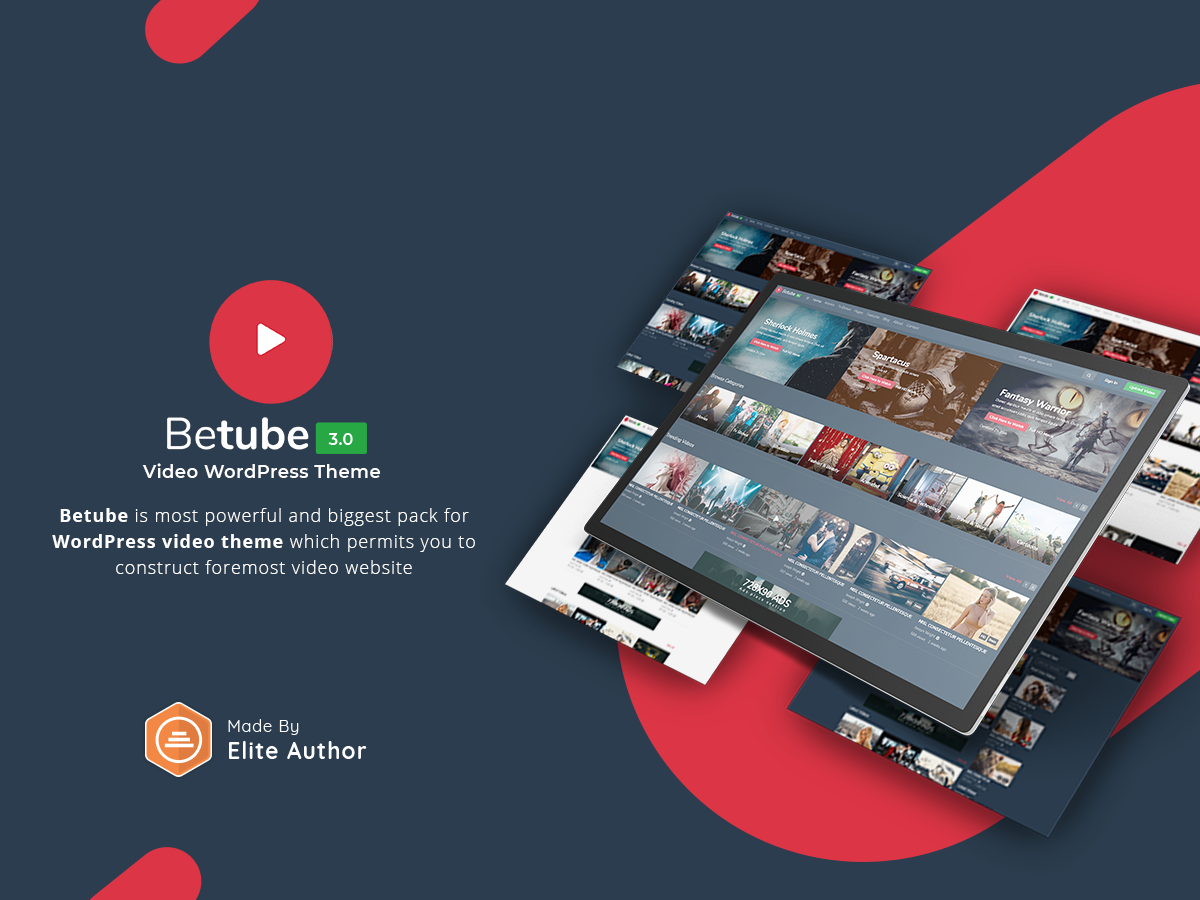



Betube Video WordPress Theme – WordPress Theme
$4.49
Betube is a WordPress theme built for video-centric websites: video hosting sites, video portfolios, video blogs and video magazines. It gives you a responsive layout, a settings panel for logos.
Betube is a WordPress theme built for video-centric websites: video hosting sites, video portfolios, video blogs and video magazines. It gives you a responsive layout, a settings panel for logos, loaders and page counts, and compatibility with Elementor, WPBakery and WooCommerce. This is the GPL build sold at $4.49, containing the same theme files the developer ships, with no vendor update channel and no vendor support desk.
| Product | Betube |
|---|---|
| Version | 3.0.9 |
| Works with | WordPress 6.x+ / PHP 8.x+ |
| Tested up to | WordPress current |
| License | GPLv2 or later |
| Delivery | Instant ZIP download, 10 downloads, 365 days |
Which kinds of video websites can Betube run?
Betube targets video hosting websites, video portfolios, video blogs and magazine-style sites. The theme provides a comprehensive solution for creating video-centric websites, so you can showcase, manage and share video content from one WordPress installation.
Because the layout supports both a video gallery and a magazine structure, the same theme fits a single creator's portfolio and a multi-category video publication. Video listings appear on an all-videos page and on category pages, each with its own configurable count.
Does Betube work with Elementor, WPBakery and WooCommerce?
Betube is compatible with popular page builders such as Elementor and WPBakery, so you can design layouts with the builder you already use. The theme also works with WooCommerce, which lets you sell video-related products directly from the site.
That combination means the theme can carry both editorial video content and a shop area without a second theme install. Page structure comes from your builder, while the theme's own options panel handles the site-wide pieces.
What can you control from the BeTube Options panel?
The BeTube Options screen holds general settings for the theme. You upload a main logo, a separate logo for the user dashboard, and a favicon, and you can switch a back-to-top button on or off.
Content counts are adjustable too: the number of videos on the all-videos page, the number of videos on category pages, the number of movies on the movies page, and the number of tags in the tag cloud widget. A footer widget area can be turned off, the copyright text can be replaced, and a loader screen can be enabled with your own loader image and background color. A color selection section covers theme colors.
How does Betube handle registration and legal links?
Two URL fields sit in the theme settings for registration pages: a terms and conditions URL and a data protection law URL. Both links are shown on the registration page, so new users see your terms and privacy references before signing up.
The theme also ships a Page Not Found template with a Go Back Home Page action, plus a user dashboard area with its own logo setting.
What this build includes
| Video hosting layout | Build a video hosting site where videos are listed, managed and shared from WordPress, with separate all-videos and category listing pages. |
|---|---|
| Configurable video counts | Set how many videos appear on the all-videos page and how many appear on category pages, and how many movies show on the movies page. |
| Elementor and WPBakery support | Design page layouts with popular page builders including Elementor and WPBakery instead of being locked to the theme's own templates. |
| WooCommerce compatibility | Sell video-related products directly from the site using WooCommerce alongside the theme's video content areas. |
| Logo and favicon upload | Upload a main site logo, a separate user dashboard logo and a favicon from the BeTube Options panel. |
| Loader screen with custom image | Turn on a loader screen, upload your own loader image and pick the loader background color, white by default. |
| Tag cloud widget control | Choose how many tags appear in the tag cloud widget by entering a number in the theme settings. |
| Registration legal links | Add a terms and conditions URL and a data protection law URL that display on the registration page. |
| Footer and back-to-top controls | Switch the footer widget area on or off, replace the copyright text, and enable or disable a back-to-top button. |
Installing it on a WordPress site
- Download the Betube zip file (version 3.0.9, 2.3 MB) from your order page.
- In your WordPress dashboard go to Appearance > Themes, upload the downloaded theme file and activate Betube.
- Open the BeTube Options panel to set your logos, favicon, page video counts, loader, footer text and color selection.
Latest changes
This listing is for Betube version 3.0.9, delivered as a 2.3 MB zip file.
Frequently asked questions
What does Betube Video WordPress Theme do?
It provides a comprehensive solution for creating video-centric websites, allowing you to showcase, manage and share video content effectively. The theme covers video hosting sites, video portfolios, video blogs and magazine layouts, and includes an options panel for logos, loaders, listing counts and footer settings.
Is Betube compatible with popular page builders?
Yes. Betube is compatible with popular page builders like Elementor and WPBakery, which allows for easy customization and layout design. You can build page layouts in the builder you already use while the theme's own options screen handles site-wide settings.
Can I sell products with Betube using WooCommerce?
Yes. Betube is compatible with WooCommerce, enabling you to sell video-related products directly from your website. The shop runs alongside the theme's video content areas rather than replacing them.
How do I set up Betube on my WordPress site?
Upload the downloaded theme file in your WordPress dashboard under Appearance > Themes, activate it, and then customize it using the built-in options. The BeTube Options panel is where you set logos, the user dashboard logo, favicon, video counts, loader image and footer text.
What are the GPL terms and the price?
This is a GPL build priced at $4.49. It contains the same theme files the developer ships. There is no vendor update channel and no vendor support desk included; the store scans every file and new version with multiple security tools, and you can verify files on VirusTotal before installation.
What the GPL build means for you
This is the same archive the developer publishes, redistributed under the GNU General Public License: you get the working files for $4.49 with no vendor update channel and no vendor support desk. If you need automatic updates or a support contract, buy the official license from the developer.
| This GPL build | Official license | |
|---|---|---|
| Price | $4.49 one time | Vendor subscription |
| Automatic updates | No | Yes |
| Developer support | No | Yes |
| Number of sites | Unlimited | Depends on plan |
Browse the rest of the WordPress themes category or the full shop. The licence text is at GNU GPL v2, and general documentation is at WordPress.org.
You must be logged in to post a review.
You may also like…





Reviews
Clear filtersThere are no reviews yet.