




Maggz Viral Magazine Theme – WordPress Theme
$4.49
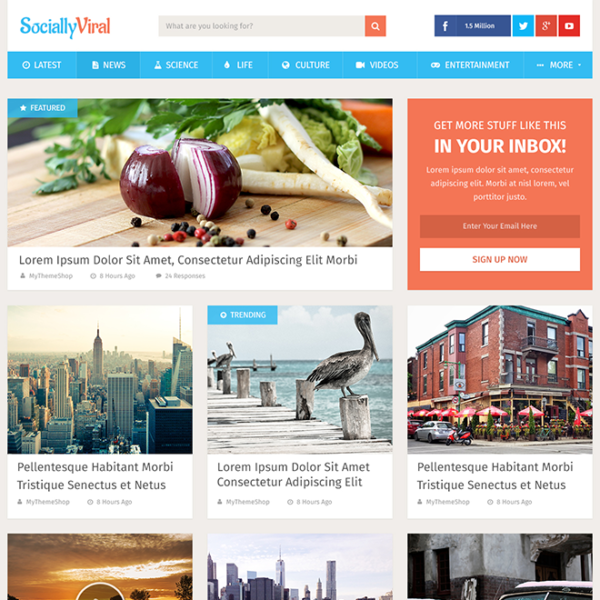
Maggz is a creative viral magazine and blog theme for WordPress, built for publishers who want engaging magazine-style layouts and varied content formats. It gives you customizable page structure.
Maggz is a creative viral magazine and blog theme for WordPress, built for publishers who want engaging magazine-style layouts and varied content formats. It gives you customizable page structure, WooCommerce compatibility for running a shop next to editorial content, and Elementor support for extra design flexibility. The theme ships as a GPL build at $4.49 with the same files the developer distributes, without a vendor update channel or vendor support desk.
| Product | Maggz |
|---|---|
| Version | 1.3.1 |
| Works with | WordPress 6.x+ / PHP 8.x+ |
| Tested up to | WordPress current |
| License | GPLv2 or later |
| Delivery | Instant ZIP download, 10 downloads, 365 days |
Magazine layouts and slider placement in Maggz
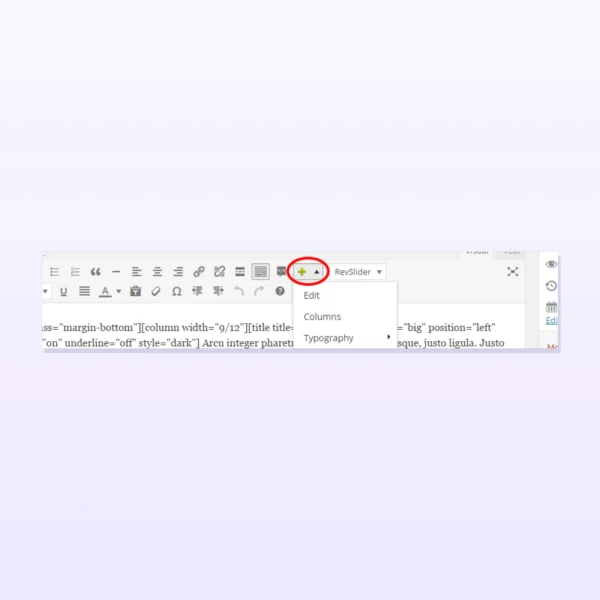
Maggz targets viral magazine and blog publishing. The theme provides a framework for building magazine-style sites with customizable layouts and various content formats, so articles and other post types can sit together on the same front end. A slider shortcode field sits in the theme options: paste your slider shortcode into the provided box and the theme outputs the slider, so you position it without editing template files.
Layout controls reach the page shell as well. You can choose a page background color, set a background image, apply a background pattern and pick the background image attachment. A passepartout option adds a frame around site content, with its own color, a size value and a separate responsive size for tablets and mobile, plus a switch that disables the top passepartout. The initial width of the content is configurable too, which decides how wide the reading column sits inside that frame.
Header, content spacing and page transitions in Maggz
Theme settings include an option to always put content behind the header, a block for defining styles for the content area, and content top padding that is set specifically for the mobile header. Smooth page transitions can be enabled from the same area, changing how navigation between pages is presented on the site. These controls let you tune spacing and motion without touching stylesheets.
Utility pages are covered. The theme includes a Coming Soon page and a 404 title image setting, so the not-found screen and the pre-launch state can carry your own visuals. Comment handling follows the standard WordPress flow: the theme renders the comment form, the fields for name, email and website with the checkbox to save them for next time, and the message shown when the comment form is closed.
WooCommerce and Elementor compatibility in Maggz
Maggz is fully compatible with WooCommerce, so an online store can run alongside the magazine content on the same WordPress install. The package includes a woocommerce folder in the zip, which holds the theme's WooCommerce template files. Elementor also works with the theme, providing additional design flexibility and customization options for pages you build in that editor.
The zip contains the framework, woocommerce and vc-templates folders. The vc-templates folder holds page builder templates, while the framework folder carries the theme's underlying code. Version 1.3.1 arrives as a 16.6 MB download.
What this build includes
| Slider shortcode field | Paste your slider shortcode into the theme option and the theme renders the slider on your site without editing template files. |
|---|---|
| Passepartout frame | Wrap site content in a passepartout with a chosen color and size, a separate responsive size for tablets and mobiles, and a switch to disable the top edge. |
| Background controls | Set a page background color, a background image, a background pattern and the background image attachment from the theme settings. |
| Content behind header | An option puts page content behind the page header, and content top padding can be set separately for the mobile header. |
| Smooth page transitions | Enable smooth page transitions from the theme settings to change how navigation between pages is presented. |
| Coming Soon page | The theme includes a Coming Soon page, so you can publish a holding page before the magazine goes live. |
| 404 title image | Assign a title image for the 404 page so the not-found screen carries your own artwork instead of default output. |
| WooCommerce templates | A woocommerce folder ships in the zip, and the theme is fully compatible with WooCommerce for running a store next to magazine content. |
| Elementor support | Maggz works with Elementor, adding design flexibility and customization options for pages you build in that editor. |
| Initial content width | Set the initial width of the content area in the theme options to control how wide the reading column appears inside the page shell. |
Installing it on a WordPress site
- Upload the Maggz theme zip through the WordPress dashboard and activate the theme.
- Open the theme options and customize the site: background color, image and pattern, passepartout color and size, content width and top padding, and the slider shortcode if you use one.
- If you run a store, install and configure WooCommerce; the theme's woocommerce templates are already in the package.
Frequently asked questions
What does Maggz do as a WordPress theme?
Maggz provides a framework for creating engaging magazine-style websites, featuring customizable layouts and various content formats to attract and retain visitors. It is described as a creative viral magazine and blog theme, and its settings cover page backgrounds, passepartout framing, content spacing, page transitions and utility pages.
Can I run a WooCommerce store with Maggz?
Yes. Maggz is fully compatible with WooCommerce, allowing you to set up an online store alongside your magazine content. The theme package includes a woocommerce folder with its template files, so store pages follow the theme's presentation.
Does Maggz work with Elementor?
Yes. Maggz works well with Elementor, providing additional design flexibility and customization options for your pages. You can build page layouts in Elementor while the theme handles the magazine structure and its own settings screens.
How do I place a slider in Maggz?
The theme options include a slider shortcode field labeled for pasting your slider shortcode. Paste the shortcode into that box and the theme outputs the slider, so you do not need to edit template files to position it on the page.
What do I get for $4.49?
You get the GPL build of Maggz, version 1.3.1, as a 16.6 MB zip containing the same theme files the developer ships. There is no vendor update channel and no vendor support desk with this build; the download is handled by our store.
What the GPL build means for you
This is the same archive the developer publishes, redistributed under the GNU General Public License: you get the working files for $4.49 with no vendor update channel and no vendor support desk. If you need automatic updates or a support contract, buy the official license from the developer.
| This GPL build | Official license | |
|---|---|---|
| Price | $4.49 one time | Vendor subscription |
| Automatic updates | No | Yes |
| Developer support | No | Yes |
| Number of sites | Unlimited | Depends on plan |
Browse the rest of the WordPress themes category or the full shop. The licence text is at GNU GPL v2, and general documentation is at WordPress.org.
You must be logged in to post a review.
You may also like…





Reviews
Clear filtersThere are no reviews yet.