
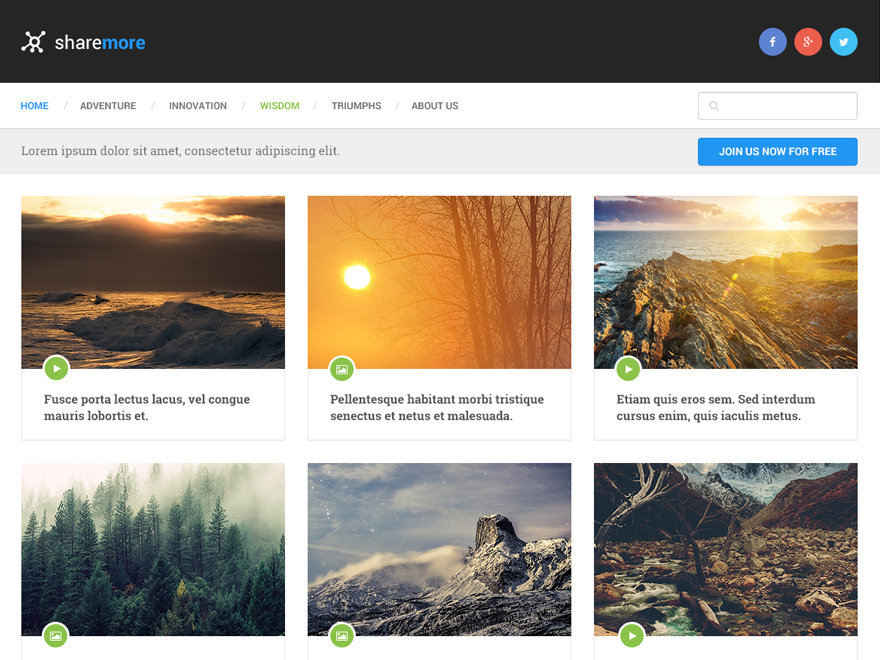
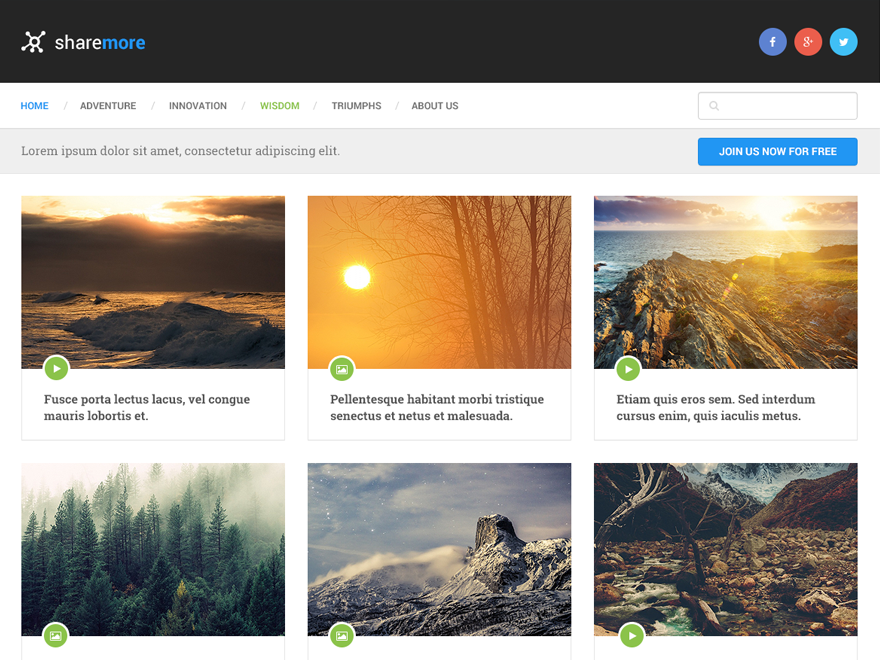

Mythemeshop Ad Sense WordPress – WordPress Theme
$4.49
Ad-Sense is a WordPress theme built for blogs that want to earn more from their ads. Its own description calls it the best choice for blogs that want to earn more from their Ads, and it ships with an.
Ad-Sense is a WordPress theme built for blogs that want to earn more from their ads. Its own description calls it the best choice for blogs that want to earn more from their Ads, and it ships with an inbuilt intelligence system that detects Ad Blockers and hides the content. It is an ad-friendly theme designed for optimal monetization while keeping the reading experience user-friendly, and it works with WooCommerce and Elementor.
| Product | Ad-Sense by MyThemeShop |
|---|---|
| Version | 1.4.4 |
| Works with | WordPress 6.x+ / PHP 8.x+ |
| Tested up to | WordPress current |
| License | GPLv2 or later |
| Delivery | Instant ZIP download, 10 downloads, 365 days |
How Ad-Sense handles visitors who block ads
Ad-Sense includes an inbuilt intelligence system to detect Ad Blockers and hide the content. When a visitor arrives with an ad blocker active, the theme can hide the content instead of serving the page as usual. That gives you a way to respond to blocked ad impressions rather than simply losing them.
The theme is described as ad-friendly and designed for optimal monetization. Ads sit inside a layout that is meant to make monetizing your content easier while maintaining a user-friendly experience for readers.
Page building and shop features in Ad-Sense
Ad-Sense is compatible with Elementor, so you can build custom page layouts and designs while still using the theme's ad management features. The theme also ships with several templates, including a Default Post Template, a Parallax Template and a Zoom Out Effect Template.
WooCommerce compatibility lets you integrate e-commerce functionality into your site while managing advertisements effectively. The theme provides dedicated sidebars for shop pages: a Shop Page Sidebar that appears on the Shop main page and product archive pages, and a Single Product Sidebar that appears on single product pages.
Layout, sidebar and comment options
A default sidebar is available, and a footer area is described as appearing at the top of the footer. Header Animation and Parallax Effect settings are part of the theme's presentation options, alongside Featured Image support.
Comment and search strings in the theme cover the usual blog flows: a submit comment button, a notice that your comment is awaiting moderation, password-protected comment forms, a load more posts control with a no more posts message, and a show all results link with a no results found state.
Icon sets and contact form strings in Ad-Sense
The theme's settings screens include a set of icon categories you can use across the site: Web Application Icons, Accessibility Icons, Transportation Icons, File Type Icons, Form Control Icons, Currency Icons, Text Editor Icons, Directional Icons and Video Player Icons.
A contact form is part of the theme's interface strings, with fields for name, a valid email address and a message, a tick box to agree to be contacted, and confirmation that your message has been sent. A custom Gravatar image path is also referenced in the theme files.
What this build includes
| Ad Blocker detection | An inbuilt intelligence system detects Ad Blockers and hides the content, giving you a response when ad impressions are blocked. |
|---|---|
| Ad-friendly layouts | The theme is designed for optimal monetization, making it easier to place ads while keeping the experience user-friendly. |
| Elementor compatibility | Build custom page layouts and designs in Elementor while using the theme's ad management features. |
| WooCommerce compatibility | Integrate e-commerce functionality into your site while managing advertisements effectively across shop pages. |
| Shop sidebars | A Shop Page Sidebar for the shop main page and product archives, plus a Single Product Sidebar for individual product pages. |
| Template choices | Choose between a Default Post Template, a Parallax Template and a Zoom Out Effect Template for posts. |
| Header and parallax effects | Header Animation and Parallax Effect settings change how the top of the site behaves as visitors scroll. |
| Icon libraries | Pick from nine icon categories, from Web Application and Accessibility icons to Currency, Directional and Video Player icons. |
| Built-in contact form | Collect a name, valid email address and message, with a consent tick box and a sent confirmation message. |
Installing it on a WordPress site
- Upload the theme zip through Appearance > Themes > Add New in WordPress, then activate Ad-Sense.
- Open the theme options folder's settings to configure ad placement, sidebars and the header animation and parallax options.
- Create your menus and widgets, assign the shop and single product sidebars if you run WooCommerce, and publish a test post to check the templates.
Latest changes
This build is version 1.4.4 of the theme.
Frequently asked questions
Does Ad-Sense work with WooCommerce?
Yes. Ad-Sense is compatible with WooCommerce, so you can integrate e-commerce functionality into your site while managing advertisements effectively. It also provides a Shop Page Sidebar for the shop main page and product archive pages, and a Single Product Sidebar for single product pages.
Can I build pages with Elementor using Ad-Sense?
Yes. Ad-Sense is compatible with Elementor, which lets you create custom page layouts and designs while utilizing the theme's ad management features. You can combine Elementor layouts with the theme's own templates, including the Default Post Template, Parallax Template and Zoom Out Effect Template.
What happens when a visitor uses an ad blocker?
Ad-Sense has an inbuilt intelligence system to detect Ad Blockers and hide the content. Instead of serving the page as normal to a visitor running a blocker, the theme hides the content, which gives you a way to respond when ad impressions are blocked.
What is the GPL position on this build?
This is a GPL build sold for $4.49. It contains the same files as the developer ships, but there is no vendor update channel and no vendor support desk behind your purchase. The zip is 6.3 MB and the theme version is 1.4.4.
Which sidebars can I assign in Ad-Sense?
There is a default sidebar, a Shop Page Sidebar that appears on the Shop main page and product archive pages, and a Single Product Sidebar that appears on single product pages. A footer area is also described as appearing at the top of the footer.
What the GPL build means for you
This is the same archive the developer publishes, redistributed under the GNU General Public License: you get the working files for $4.49 with no vendor update channel and no vendor support desk. If you need automatic updates or a support contract, buy the official license from the developer.
| This GPL build | Official license | |
|---|---|---|
| Price | $4.49 one time | Vendor subscription |
| Automatic updates | No | Yes |
| Developer support | No | Yes |
| Number of sites | Unlimited | Depends on plan |
Browse the rest of the WordPress themes category or the full shop. The licence text is at GNU GPL v2, and general documentation is at WordPress.org.
You must be logged in to post a review.
You may also like…

Related products







Reviews
Clear filtersThere are no reviews yet.