
Olympus Buddypress Theme Social Network GPL
$4.49
Olympus BuddyPress Theme Social Network is a WordPress theme for building and running online communities.
Olympus BuddyPress Theme Social Network is a WordPress theme for building and running online communities. It provides the interface for user interaction, profile management and social networking on a BuddyPress-powered site. The theme also works with WooCommerce, so a community site can carry eCommerce functionality alongside its social features. This listing is the GPL build sold by Digitumb for $4.49.
| Product | olympus-buddypress-theme-social-network |
|---|---|
| Version | 4.6 |
| Works with | WordPress 6.x+ / PHP 8.x+ |
| Tested up to | WordPress current |
| License | GPLv2 or later |
| Delivery | Instant ZIP download, 10 downloads, 365 days |
What Olympus BuddyPress Theme Does for a Community Site
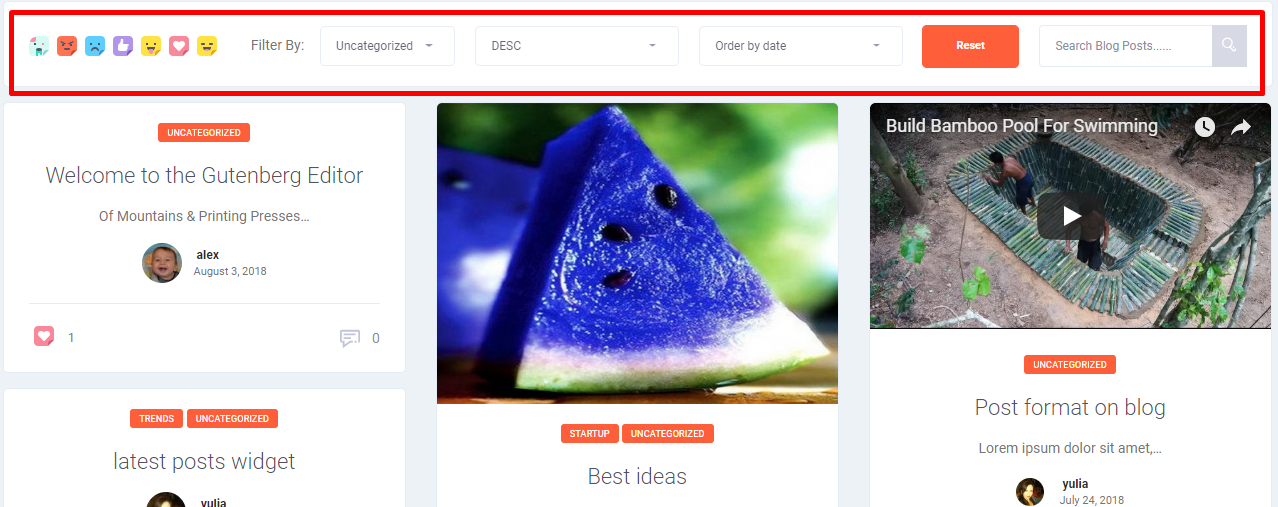
Olympus is built around BuddyPress, the WordPress plugin set that adds member profiles and social networking to a WordPress install. The theme handles the presentation layer for those community pages: member profiles, the interactions between users, and the connected social features that a BuddyPress site runs on. The vendor describes its purpose as creating and managing online communities with features for user interaction, profile management and social networking.
Because the community mechanics come from BuddyPress and the theme supplies the design and layout around them, the practical result is a site where members register, keep a profile and interact with each other inside a structure you control. The theme is stated to be fully compatible with the latest version of WordPress.
Running a Shop Next to the Member Area
Olympus is compatible with WooCommerce. That means a store can sit on the same WordPress installation as the community, with products and checkout handled by WooCommerce while the theme styles the surrounding site. For a community that sells memberships, digital goods or physical products, this avoids running two separate platforms.
The two systems share the same user base, since both run on WordPress accounts. A member who joins the community is the same account that shops in the store.
What Ships in the 52.2 MB Package
The download is a 52.2 MB zip. Opening it shows three top-level folders: Offline Docs, SVG_icons and olympus-child. Offline Docs holds the documentation files, SVG_icons holds icon assets in SVG format, and olympus-child is the child theme folder for holding your own customisations without editing the parent theme.
This is version 4.6 of the theme. The files are the same ones the developer ships, distributed as a GPL build. There is no vendor update channel and no vendor support desk attached to this purchase; the price is $4.49.
Who Olympus Fits
The theme suits a site owner who wants a social network shape rather than a blog or a brochure site: members with profiles, interaction between them, and a place to manage the community from the WordPress dashboard. It also suits a small store that wants its shop and its community under one roof.
If you need a theme that runs without BuddyPress, this one is aimed elsewhere. Its feature set is defined by the community functions it presents.
What this build includes
| Community building | Create and manage an online community on WordPress, with the theme presenting the pages members use to interact. |
|---|---|
| Member profiles | Profile management is part of the theme's feature set, giving each member a presence on the site. |
| User interaction | The theme provides features for interaction between users, the social layer a BuddyPress site depends on. |
| WooCommerce compatibility | Add eCommerce functionality to the community site through WooCommerce, with the theme styling the store pages. |
| Current WordPress compatibility | Fully compatible with the latest version of WordPress, so the theme can run on an up-to-date install. |
| Child theme included | The olympus-child folder lets you keep customisations separate from the parent theme files. |
| SVG icon set | The SVG_icons folder supplies icon assets in SVG format for use across the site. |
| Offline documentation | The Offline Docs folder carries the documentation with the download, so setup guidance is on hand without a network connection. |
Installing it on a WordPress site
- Unzip the 52.2 MB package and read the files in the Offline Docs folder before installing anything.
- Install and activate BuddyPress on your WordPress site, since the theme's community features are presented around it.
- Upload the Olympus theme, activate it, then activate the olympus-child child theme from the olympus-child folder and make your customisations there.
- Install WooCommerce if you want a store on the site, and use the SVG_icons folder for icon assets where your layout needs them.
Latest changes
This is version 4.6 of the theme.
Frequently asked questions
What does Olympus BuddyPress Theme Social Network do?
It is a WordPress theme for creating and managing online communities. It provides features for user interaction, profile management and social networking, presenting the community pages that BuddyPress generates on a WordPress site.
Does Olympus work with the current WordPress release?
Yes. The theme is fully compatible with the latest version of WordPress, so you can run it on an up-to-date installation without compatibility issues.
Can I sell products on the same site as the community?
Yes. Olympus is compatible with WooCommerce, which lets you integrate eCommerce functionality into your community site. The store and the member area then run on the same WordPress installation.
What is in the zip file?
The 52.2 MB zip contains three top-level folders: Offline Docs with the documentation, SVG_icons with icon assets, and olympus-child, the child theme folder. The theme itself is version 4.6.
What does the GPL build mean for updates and support?
You get the same theme files the developer ships, at $4.49. There is no vendor update channel and no vendor support desk included with this purchase, so plan to manage updates and troubleshooting on your own side.
Do I need BuddyPress installed?
The theme is built to present BuddyPress community features: user interaction, profiles and social networking. Install and activate BuddyPress on your WordPress site so those features have something to run on.
What the GPL build means for you
This is the same archive the developer publishes, redistributed under the GNU General Public License: you get the working files for $4.49 with no vendor update channel and no vendor support desk. If you need automatic updates or a support contract, buy the official license from the developer.
| This GPL build | Official license | |
|---|---|---|
| Price | $4.49 one time | Vendor subscription |
| Automatic updates | No | Yes |
| Developer support | No | Yes |
| Number of sites | Unlimited | Depends on plan |
Browse the rest of the WordPress themes category or the full shop. The licence text is at GNU GPL v2, and general documentation is at WordPress.org.
You must be logged in to post a review.
You may also like…

Related products




Reviews
Clear filtersThere are no reviews yet.