



Meta Box Builder Extension GPL
$4.49
Meta Box Builder Extension is a WordPress plugin that lets you create and manage custom fields and meta boxes through a drag and drop interface, so you can add tailored content to posts, pages and.
Meta Box Builder Extension is a WordPress plugin that lets you create and manage custom fields and meta boxes through a drag and drop interface, so you can add tailored content to posts, pages and custom post types without writing code. Field groups, relationships and settings pages are configured in the admin, then used by your theme or page builder. This GPL build ships the same files as the developer releases, with no vendor update channel and no vendor support desk, at $4.49.
| Product | meta-box-builder-extension |
|---|---|
| Version | 5.6.4 |
| Works with | WordPress 6.x+ / PHP 8.x+ |
| Tested up to | WordPress current |
| License | GPLv2 or later |
| Delivery | Instant ZIP download, 10 downloads, 365 days |
How the drag and drop builder handles custom fields
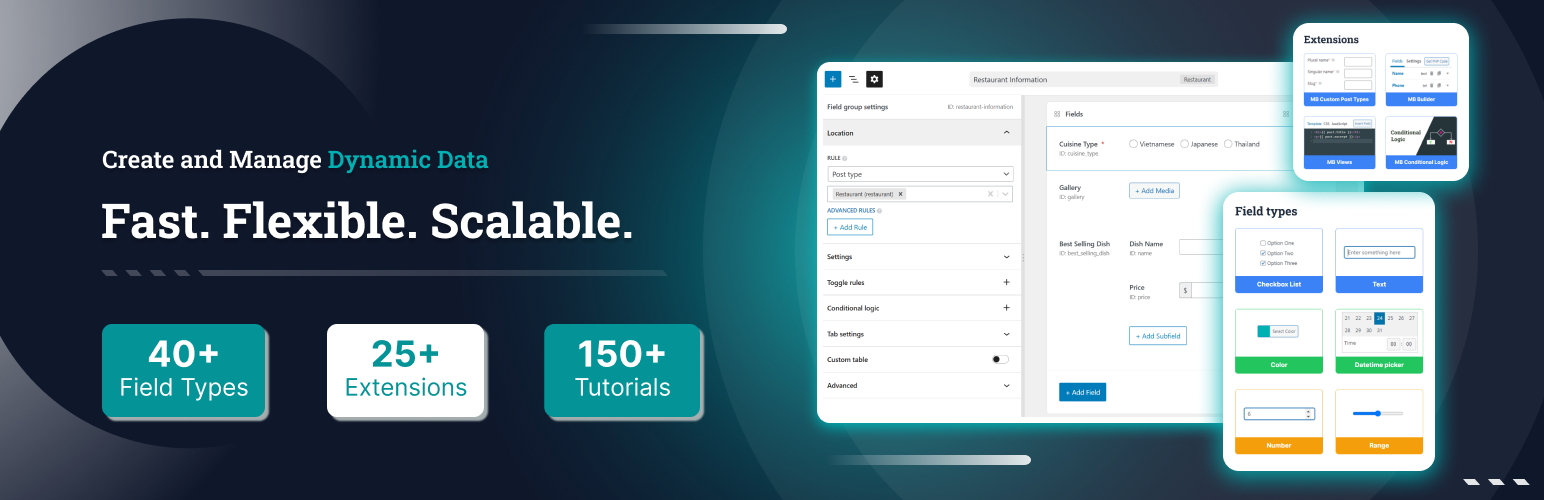
The settings screens are built around a drag and drop UI for creating custom meta boxes and custom fields. You arrange fields inside a group rather than registering them in PHP, and each group carries its own Field Group ID so it can be referenced elsewhere on the site.
Field-level text controls let you shape how each input reads on the edit screen. Label description and input description place helper text below the field label or below the input itself, while custom HTML can be printed before the field output and after it when a field needs surrounding markup.
Connecting posts, terms and users with relationships
Relationship screens cover the full lifecycle: Add New Relationship, Edit Relationship, Update Relationship, View Relationship and Search Relationship. A Parent Relationship setting ties a relationship to its parent, and you can set the message shown when there are no connections.
Relationships can also surface in the admin list tables. Show admin filter adds a dropdown filter by that relationship, Show as an admin column adds a column to the All posts/terms/users table, and Column position and Item link type control where the column sits and where its links point.
Settings pages and query arguments for developers
Beyond post meta, the plugin includes Settings Pages with a Parent Settings Page selector, plus Add New Settings Page, New Settings Page and Edit Settings Page screens. That gives option-style fields a home in the admin alongside your meta boxes.
For fields that pull in other content, query arguments for getting posts follow the same format as the WP_Query class. Repeatable fields accept custom text for the "+ Add more" button, and meta boxes can be collapsed by default or given a custom CSS class.
What this build includes
| Drag and drop field builder | Create custom meta boxes and custom fields by dragging them into place in the admin, without writing registration code. |
|---|---|
| Field descriptions | Add label description text below the label and input description text below the input so editors know what to enter. |
| Custom HTML wrappers | Print custom HTML before the field output and after it to wrap a field in your own markup. |
| Relationship management | Add, edit, update, view and search relationships, with a parent relationship setting and a custom empty-state message. |
| Admin column display | Show a relationship as a column in the All posts/terms/users table, choose its column position and set the item link type. |
| Admin relationship filter | Show a dropdown filter by a relationship in the admin table list to narrow entries quickly. |
| Settings pages | Build settings pages with a parent settings page selector and dedicated add, new and edit screens. |
| WP_Query-style arguments | Pass query arguments for getting posts using the same format as the WP_Query class. |
| WooCommerce compatibility | Add custom fields to product pages to extend what a WooCommerce store records for each product. |
| Elementor compatibility | Use custom fields created with the extension inside Elementor designs. |
Installing it on a WordPress site
- Upload the plugin zip through Plugins > Add New > Upload Plugin, or extract the src and views folders into wp-content/plugins.
- Activate Meta Box Builder Extension from the Plugins screen.
- Open the builder, create a field group with its Field Group ID, drag in your custom fields and assign the group to posts, pages or a custom post type.
Latest changes
This build is version 5.6.4 of Meta Box Builder Extension.
Frequently asked questions
Do I need to write code to add custom fields?
No. The extension provides a drag and drop UI for creating custom meta boxes and custom fields, so you build field groups in the admin and attach tailored content to posts, pages and custom post types without writing code.
Can the custom fields appear on WooCommerce product pages?
Yes. Meta Box Builder Extension is compatible with WooCommerce, so you can add custom fields to product pages and extend what each product records in your store.
Will the fields work inside Elementor?
Yes. The extension works with Elementor, which means custom fields created with the builder can be used within your Elementor designs.
How are relationships shown in the admin?
A relationship can appear as a dropdown filter in the admin table list, or as a column in the All posts/terms/users table. You set the column position and the item link type for the column, and define the message shown when there are no connections.
What do I get for $4.49?
You get a GPL build of Meta Box Builder Extension version 5.6.4 as a 1.1 MB zip containing the same files the developer ships. There is no vendor update channel and no vendor support desk with this build.
What the GPL build means for you
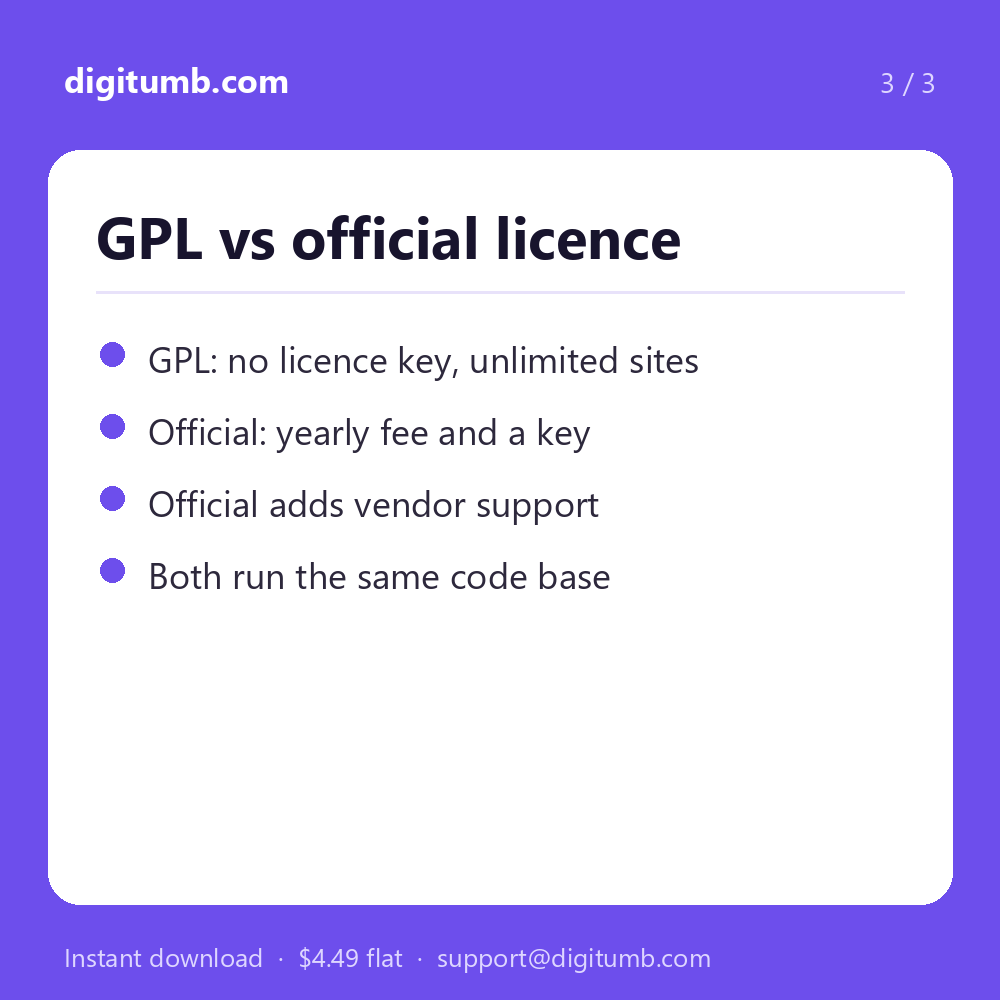
This is the same archive the developer publishes, redistributed under the GNU General Public License: you get the working files for $4.49 with no vendor update channel and no vendor support desk. If you need automatic updates or a support contract, buy the official license from the developer.
| This GPL build | Official license | |
|---|---|---|
| Price | $4.49 one time | Vendor subscription |
| Automatic updates | No | Yes |
| Developer support | No | Yes |
| Number of sites | Unlimited | Depends on plan |
Browse the rest of the WordPress plugins category or the full shop. The licence text is at GNU GPL v2, and general documentation is at WordPress.org.
You must be logged in to post a review.
You may also like…

Related products







Reviews
Clear filtersThere are no reviews yet.